Audio Formats
The audio formats used when RenderGod extracts sound from a video or converts audio files, and how to add your own.
Last updated By the RenderGod Team
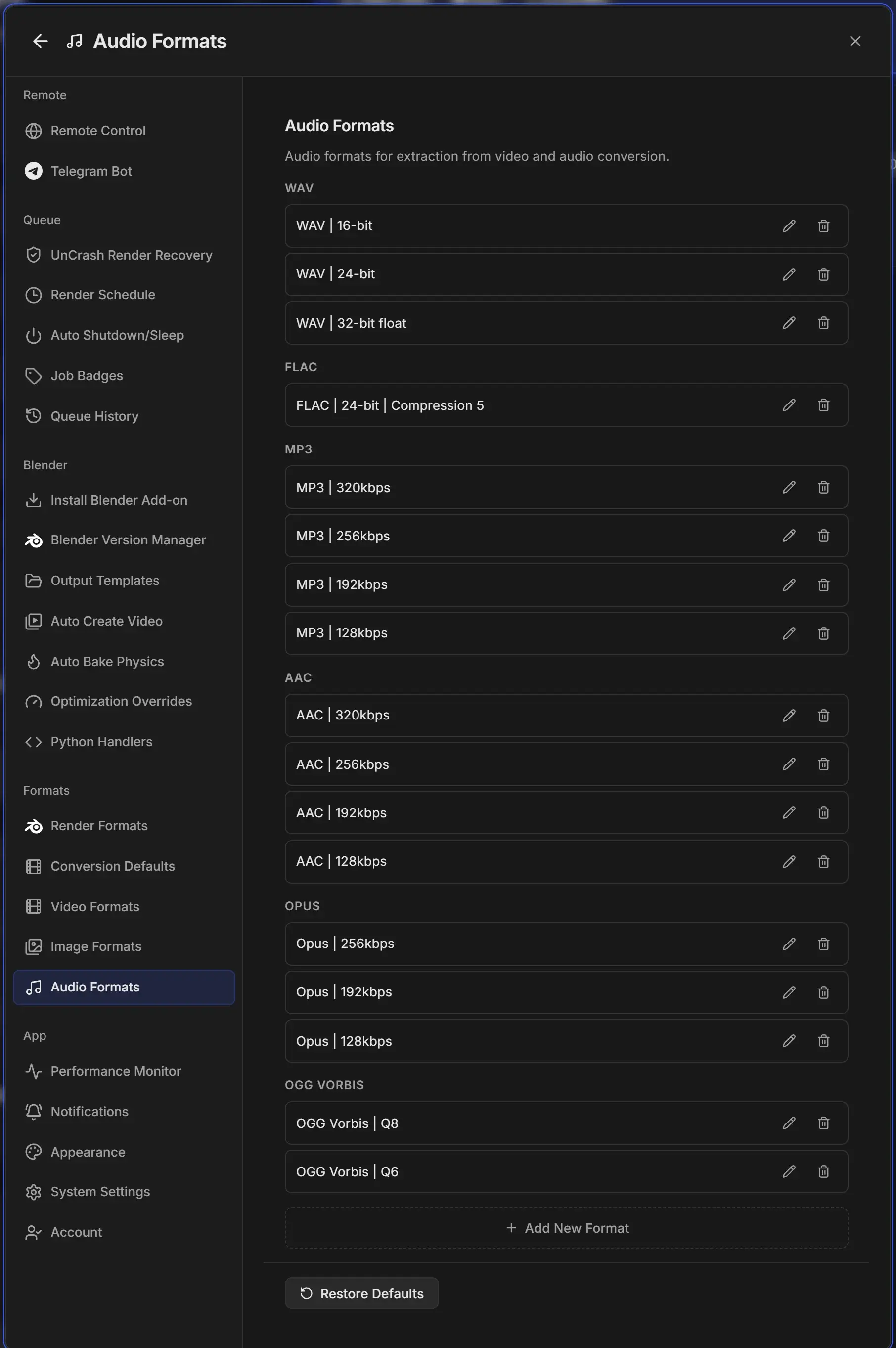
Audio formats decide how RenderGod saves sound when it extracts it from a video or converts an audio file. They live in one library, so a format you add shows up in every audio format list.
Audio Formats are included in FREE and PRO.
Where they are used
- Convert Formats: extract audio from a video, or convert an audio file.
- Conversion Defaults: the format new audio jobs start with. Match Source picks the format closest to the original.
The library
Open Settings, then Audio Formats under Formats. You can also choose Audio Format Manager at the end of any audio format list.
- Edit: click next to a format.
- Delete: click , then Confirm.
- Restore Defaults: brings back any deleted built-in format. It does not undo your edits.
Add an audio format
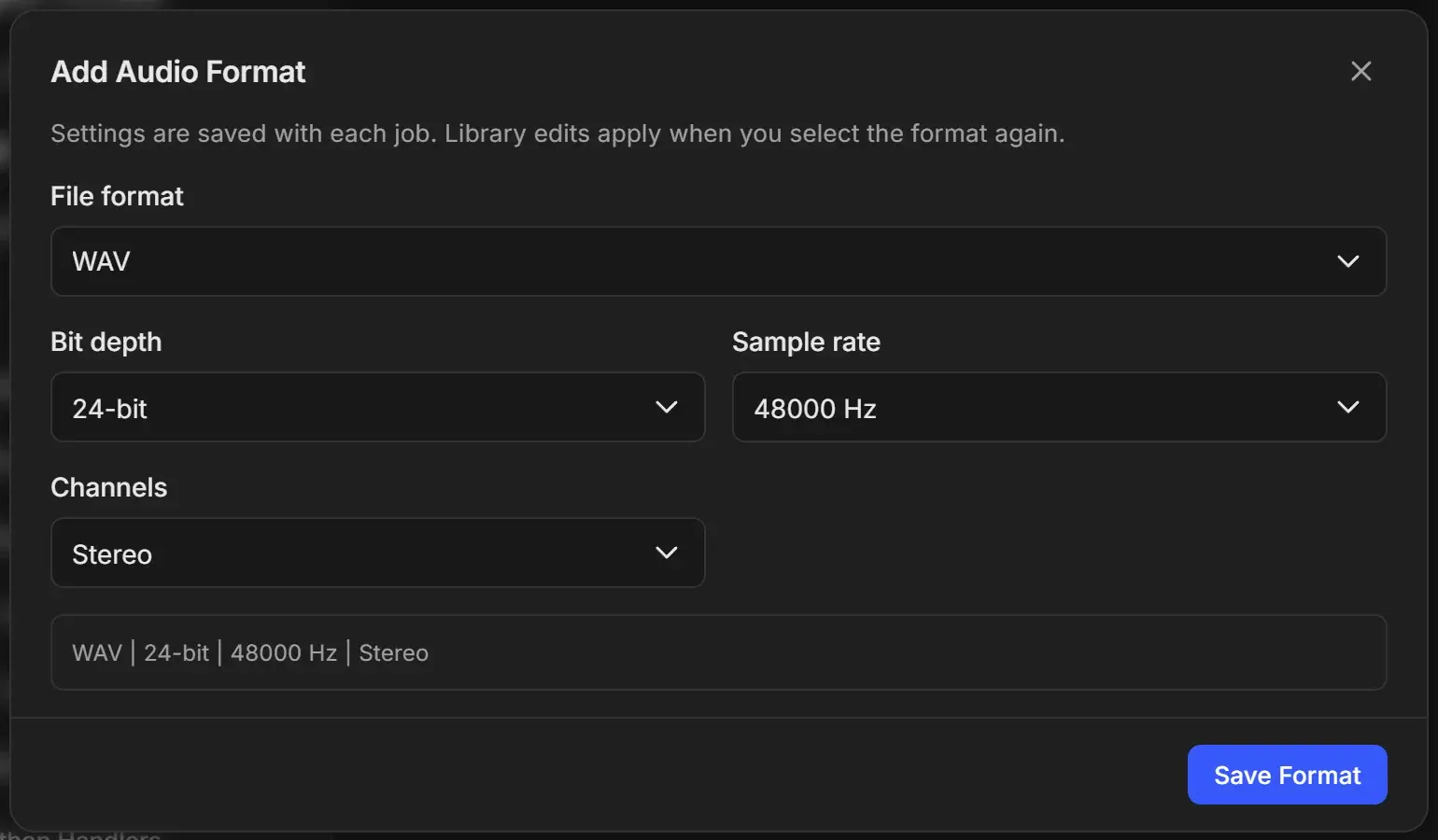
- Click Add New Format in the library.
- Choose the File format.
- Set its fields. They change with the file format.
- Check the name preview at the bottom. RenderGod names the format from its settings.
- Click Save Format.
| File format | Fields | Good for |
|---|---|---|
| WAV | Bit depth (16-bit, 24-bit, 32-bit float) | Editing and mixing, no quality loss |
| FLAC | Bit depth (16-bit, 24-bit) and Compression | Smaller files with no quality loss |
| MP3 | Bitrate (kbps), 32 to 320 | Small files that play almost anywhere |
| AAC | Bitrate (kbps) | Small files for video and phones |
| Opus | Bitrate (kbps) | Very small files at good quality |
| OGG Vorbis | Quality | Small open-format files |
Every format also has Sample rate and Channels. Source keeps what the original file has. Choose 48000 Hz for video projects, or Mono or Stereo to change the channel count.
Jobs keep their format
A job keeps its own copy of the format it was given. If you later edit or delete the format, the job's list shows the old one under Detached (from this job). Pick a format from the library to switch the job to the current version.