RenderGod Documentation
Learn to batch render Blender files with RenderGod, recover crashed renders, convert image sequences to video and monitor renders from a browser or Telegram.
RenderGod is a render queue manager for Blender on Windows and macOS. This documentation shows you how to batch render .blend files, adjust render settings per job, recover crashed renders automatically, convert image sequences and video, and check on your renders from a browser or your phone.
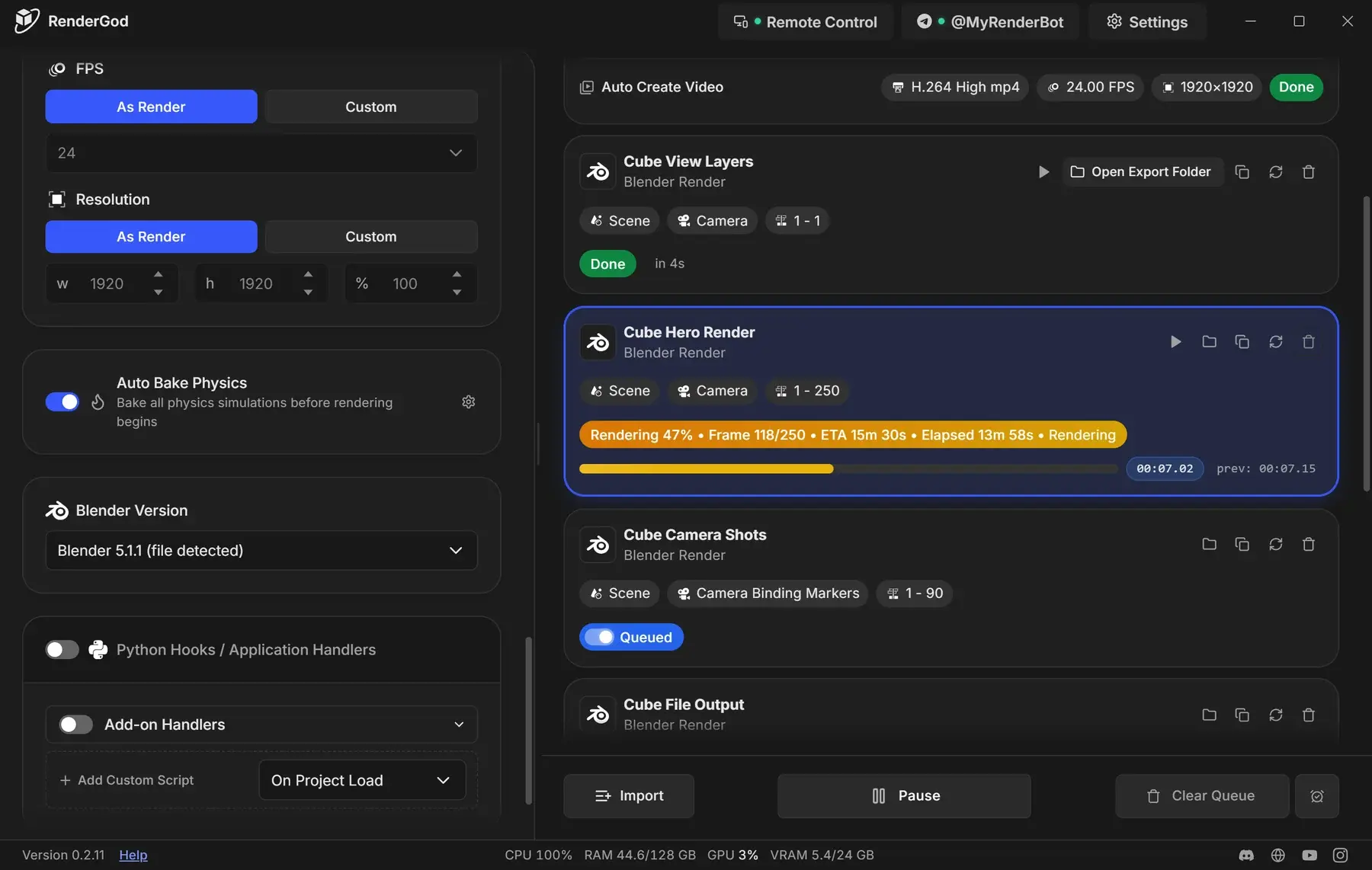
Start here
Getting Started
Install RenderGod, find Blender and render your first file.
Import Files
Add .blend files, video, audio and image sequences to the queue.
Render Queue
Start, pause, reorder, duplicate and track render jobs.
Render Settings
Output folders, cameras, frame range, engine, samples and formats.
Previews
Watch frames live, scrub, zoom and preview EXR files.
Conversion
Turn image sequences into video, extract frames and convert audio.
Crash Recovery
Let UnCrash resume renders after crashes, freezes and power loss.
Remote Control
Control your renders from a browser on any device.
Telegram Bot
Get render notifications and previews on your phone.
Blender Add-on
Send the open scene from Blender to RenderGod in one click.
Settings
Defaults for new jobs, Blender versions, appearance and more.
Guides
Step by step recipes for common rendering workflows.
Troubleshooting
Fix render errors, missing previews and connection problems.
Reference
Notifications, appearance, updates, data locations and glossary.
Popular tasks
- Render your first Blender file
- Render a batch of Blender files overnight
- Choose where renders are saved
- Render every camera angle in one job
- Create a video automatically when a render finishes
- Convert an EXR sequence to MP4
- Recover from Blender crashes
- Monitor a long render from your phone
- Shut down the PC when the queue finishes
- Keyboard shortcuts