UnCrash: Automatic Render Crash Recovery
UnCrash restarts Blender after a crash, retries frozen frames and resumes renders after a PC restart or power cut, so long Blender renders finish without you.
UnCrash is RenderGod's automatic render crash recovery. When Blender crashes, a frame hangs, or the whole computer restarts in the middle of a render, UnCrash picks the render back up so a long job still finishes while you are away.
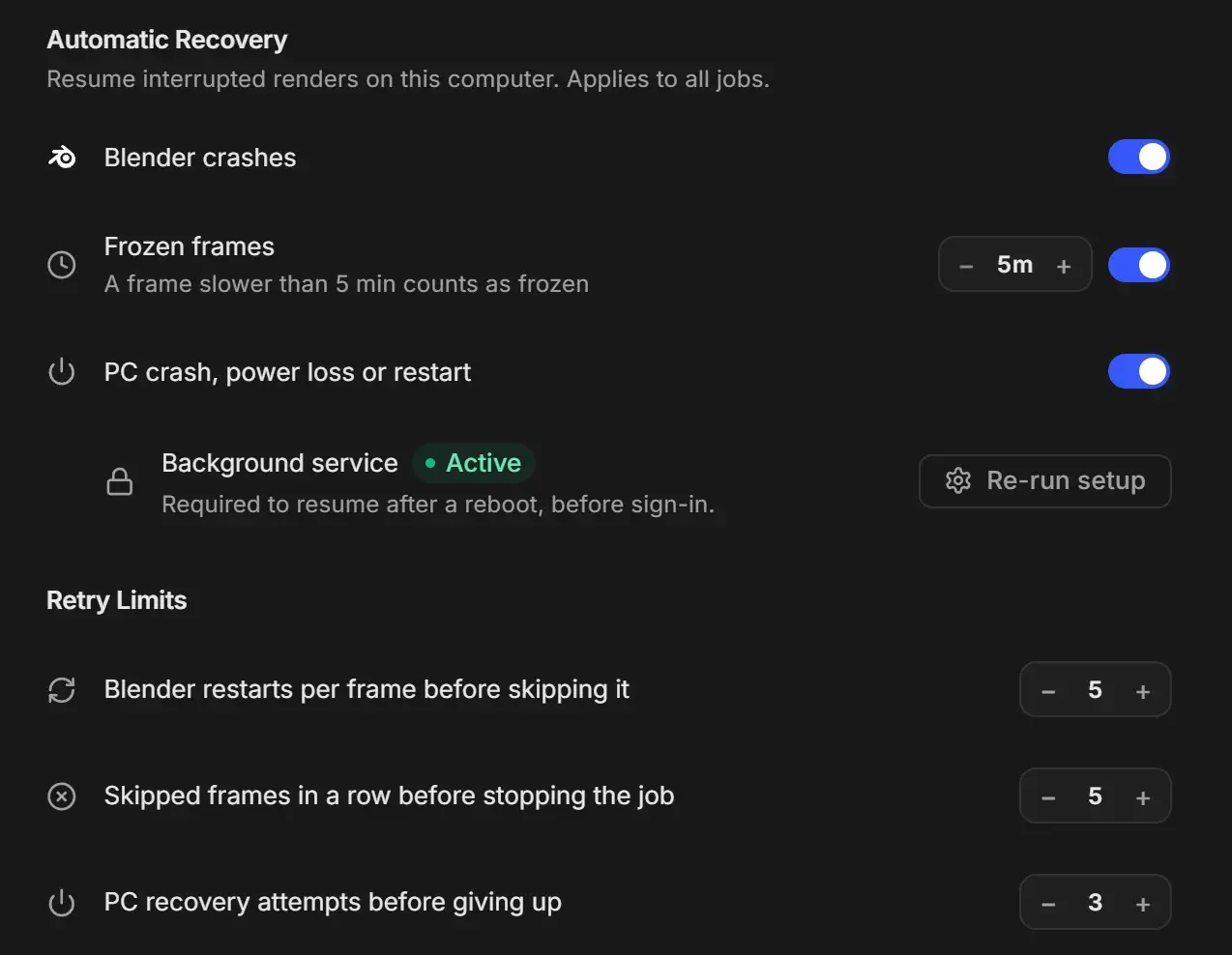
What UnCrash protects against
| Problem | What RenderGod does | Turn it on with | Platform |
|---|---|---|---|
| Blender crashes or closes during a render | Restarts Blender and continues the job from the frame that failed | Blender crashes | Windows and macOS |
| A frame hangs and never finishes | Closes Blender after the timeout and renders the frame again | Frozen frames | Windows and macOS |
| The PC crashes, loses power, restarts, or RenderGod is closed mid-render | A background service starts the render again when Windows boots, before anyone signs in | PC crash, power loss or restart and the Background service | Windows only |
All three are off until you turn them on. They apply to every job on this computer.
Turn on UnCrash
Open Settings > UnCrash Render Recovery, or click Configure on the UnCrash Render Recovery card in the render settings panel.
Turn on Blender crashes and Frozen frames.
Set the frozen frame timeout above your slowest normal frame. See Detect and recover frozen frames.
On Windows, turn on PC crash, power loss or restart and click Set up on the Background service row. See The background recovery service.
Every control is described in UnCrash Render Recovery Settings.
Retry limits keep a broken scene from looping
UnCrash does not retry forever:
- A frame that keeps crashing Blender is skipped after Blender restarts per frame before skipping it (default 5). The render moves on to the next frame.
- If Skipped frames in a row before stopping the job (default 5) frames are skipped back to back, the job stops and is marked Failed, because the scene itself is probably broken.
- On Windows, PC recovery attempts before giving up (default 3) stops the background service from relaunching a render that crashes the PC again and again.
Skipped frames are listed on the job card so you can render them later. See Skipped frames and how to re-render them.
How you know a render was recovered
- The job card keeps going on its own. While Blender restarts, the status reads "Preparing render output".
- A warning toast, "Recovered render" with "Continuing from frame N".
- A desktop notification, "Render recovered", when the RenderGod window is not in front. See Desktop notifications.
- A "Render Recovered!" Telegram message if Crash recovered is on. See Choose which Telegram notifications you get.
Without UnCrash
With Blender crashes off, a crash stops the job. If RenderGod itself was closed or the PC went down mid-render, the job shows Paused at frame N the next time RenderGod opens and the queue stays stopped. Press Start to continue from that frame.