Telegram Bot
Choose Which Telegram Notifications You Get
Pick which RenderGod Telegram notifications you receive for render started, completed, crash recovered and hourly progress, and see what each one says.
RenderGod sends Telegram notifications automatically while your queue renders. You decide which ones arrive in Settings > Telegram Bot, under Notify when. Changes apply right away to every job on this computer.
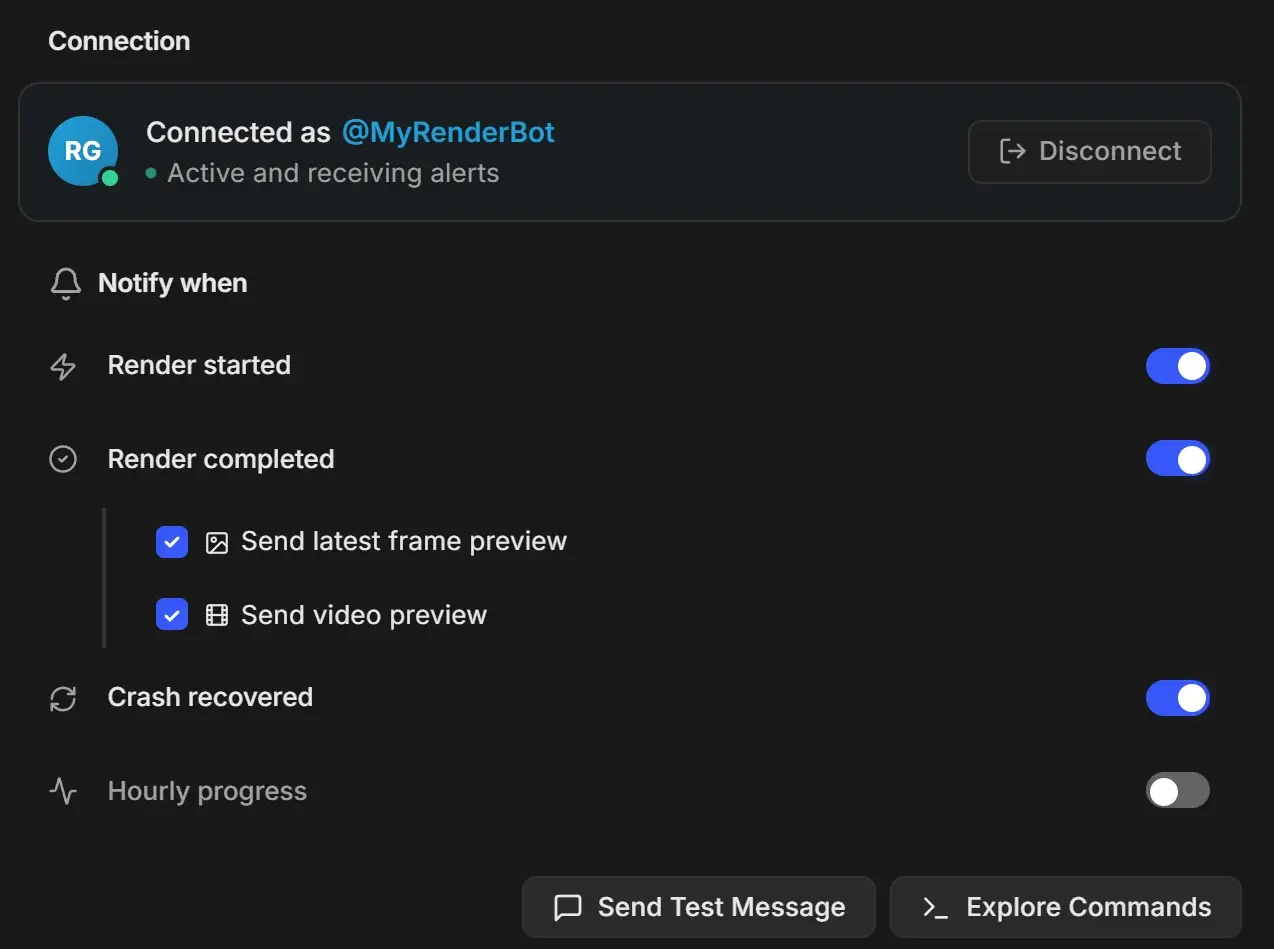
Notification types
| Setting | Default | When it is sent | What the message contains |
|---|---|---|---|
| Render started | On | A job starts rendering | "Render Started!" with Project, Type, Scene, View Layer and Camera (render jobs), and Frames. A resumed job adds "Continuing from frame N..." |
| Render completed | On | A job finishes | "Render Completed!" with Project, Type, Scene, View Layer, Camera, Frames and Total Time |
| Send latest frame preview | On | With Render completed | The final frame as an image, captioned "Final Frame" |
| Send video preview | On | With Render completed | A short low-quality preview video (jobs with 2 or more frames) |
| Crash recovered | On | UnCrash recovers a render after a crash or frozen frame | "Render Recovered!" with Project, Type, Frames and Current Frame |
| Hourly progress | Off | Once an hour for each job that is rendering | The same "Status Update" as the /status command: progress, current frame, elapsed time and ETA |
Send latest frame preview and Send video preview appear under Render completed only while it is on.
Suggested setups
| You want | Turn on |
|---|---|
| Only to know when renders are done | Render completed with Send latest frame preview |
| To watch a long overnight render | Render completed, Crash recovered and Hourly progress |
| Fewer messages on a busy queue of short jobs | Crash recovered only, and use /queue when you want an update |
Check that notifications work
Click Send Test Message at the bottom of the section. Your chat receives "Test Message from RenderGod". If it fails, RenderGod shows "Couldn't send the test message" with Retry and Dismiss; see Connect the bot to RenderGod for fixes.
When notifications do not arrive
- The computer must be on, RenderGod running and signed in, and the bot connected ("Active and receiving alerts").
- On Windows, a render resumed by the background recovery service still sends Telegram notifications.
- Crash recovered messages need UnCrash turned on, otherwise there is no recovery to report.
- Preview images and videos are only sent for Blender render jobs. See Receive render previews on your phone.