Getting Started
What Is RenderGod? A Render Queue Manager for Blender
RenderGod is a desktop render queue manager for Blender that batches .blend files, recovers crashed renders, converts media and monitors renders remotely.
RenderGod is a desktop app for Windows and macOS that manages Blender render queues. You add .blend files, adjust how each one renders, press Start, and RenderGod renders them one after another with the Blender versions installed on your computer.
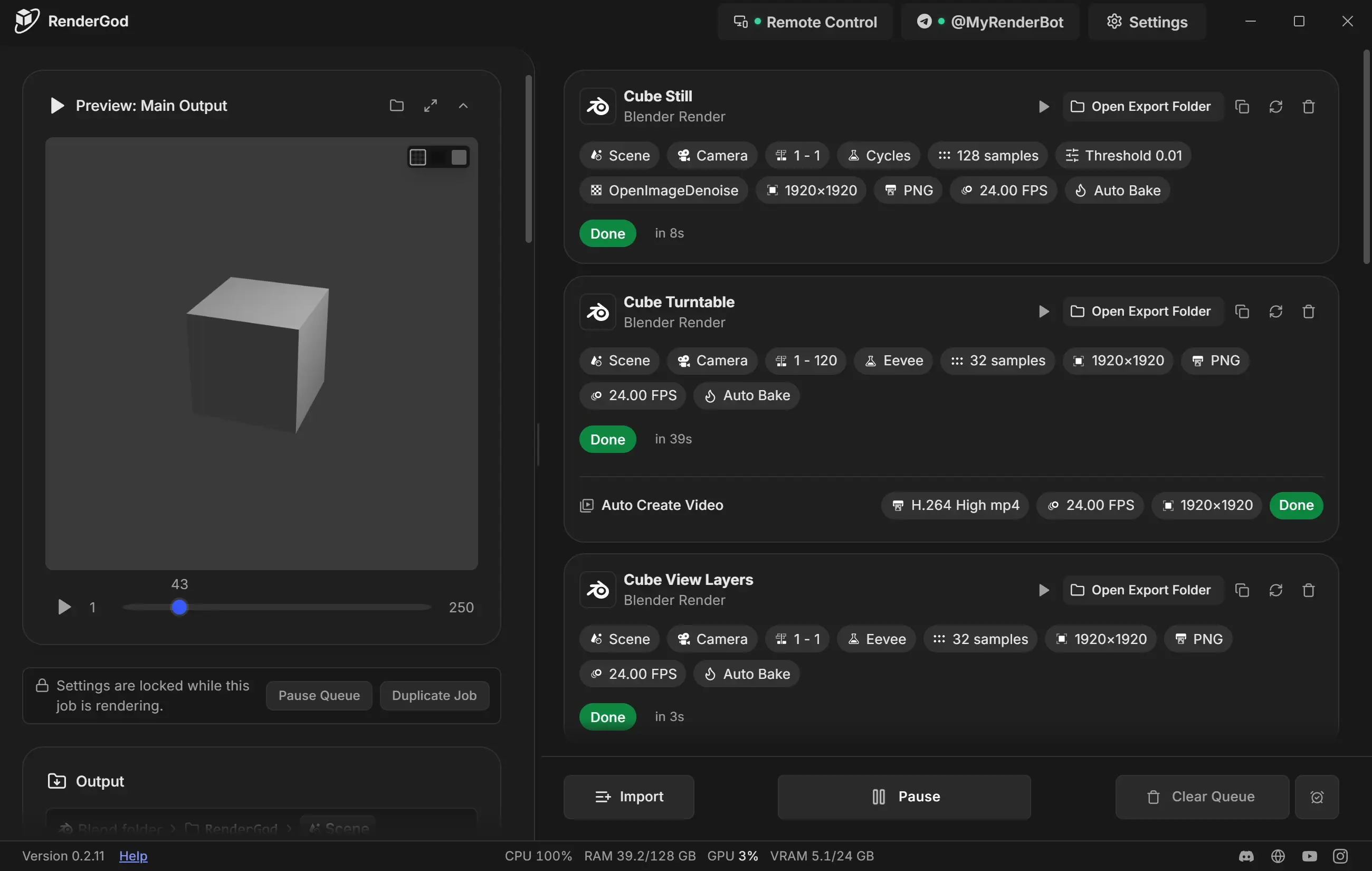
What you can do with RenderGod
| Task | What RenderGod does | Learn more |
|---|---|---|
| Batch render Blender files | Queue any number of .blend files and render them in order, without opening Blender | The render queue explained |
| Change render settings per job | Scene, camera, frame range, engine, samples, resolution, format and output folder, without editing the .blend file | The render settings panel |
| Watch frames as they render | A live preview follows the render, including EXR frames | Watch frames live |
| Recover crashed renders | UnCrash restarts Blender after a crash or freeze and resumes from the last finished frame | UnCrash overview |
| Make a video from the frames | Auto Create Video encodes the image sequence when the render ends | Create a video automatically |
| Convert media | Image sequence to video, video to image sequence, video and audio format conversion | Convert images, video and audio |
| Control renders away from the computer | Use a browser on another device, or a Telegram bot on your phone | Remote control, Telegram |
| Send scenes from Blender | The Blender add-on adds the open scene to the queue in one click | The Blender add-on |
How RenderGod works with Blender
- RenderGod starts Blender in the background for each job. You do not need Blender open.
- It reads the scene, cameras, view layers, frame range and render settings from each
.blendfile when you import it. - Changes you make in RenderGod are passed to Blender at render time. Your
.blendfile on disk is not changed. - Each job can use a different installed Blender version.
Who RenderGod is for
- Artists who render several shots or files overnight.
- Freelancers and studios who need long renders to finish even when Blender crashes or the PC restarts.
- Anyone who wants to check on a render from a phone or another room.