Output Image Formats for Blender Renders
Choose PNG, JPEG, WebP, OpenEXR or Multi-Layer EXR for RenderGod render jobs, understand bit depth and compression, and see how video output is handled.
The Format dropdown sets the file format of the rendered frames. You can keep the format saved in the .blend scene or pick PNG, JPEG, WebP, OpenEXR or Multi-Layer EXR with ready-made quality settings.
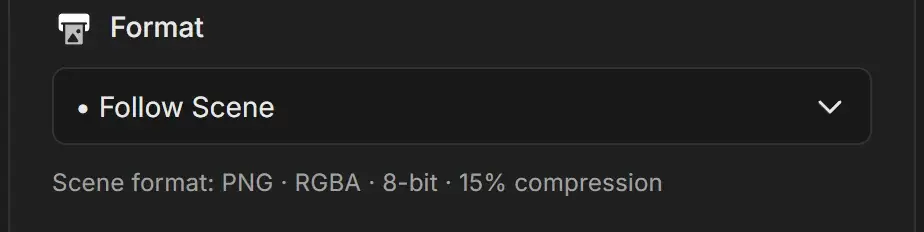
Pick an output format
- Select the job.
- Open the Format dropdown.
- Choose Follow Scene or a format.
New jobs use Follow Scene. The line under the dropdown then describes the scene's format, for example "Scene format: PNG · RGBA · 8-bit · 15% compression".
Format options
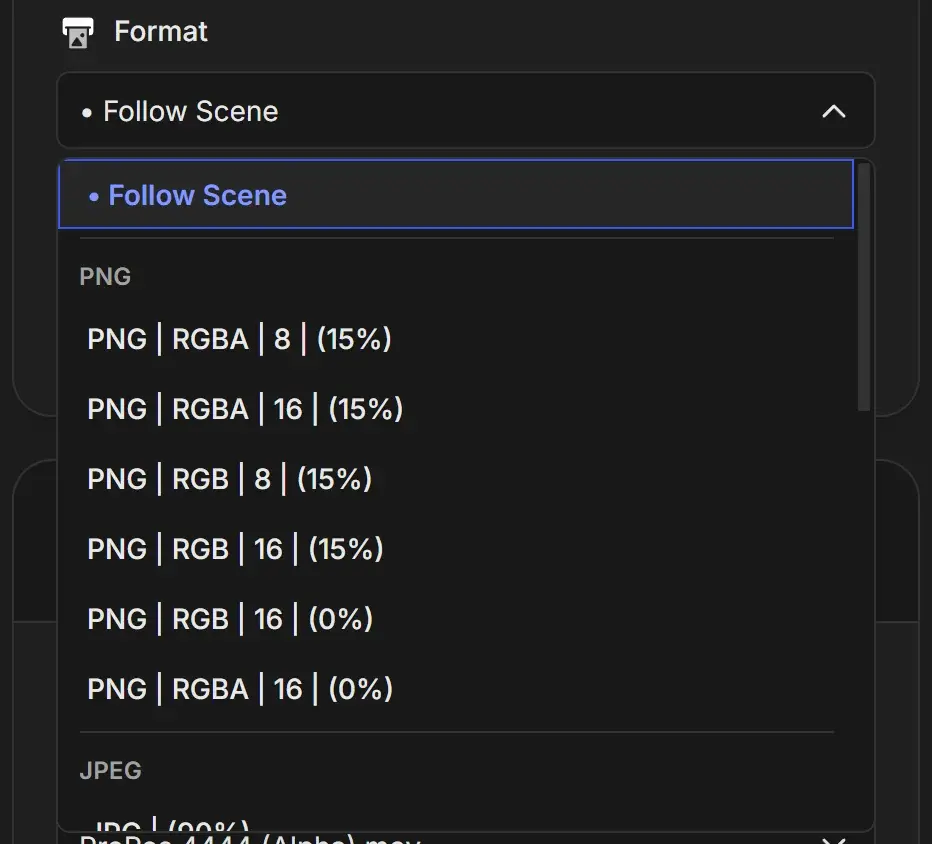
Each option reads as format | color | bit depth | compression or quality.
| Group | Options | What you get |
|---|---|---|
| PNG | PNG | RGBA | 8 | (15%), PNG | RGBA | 16 | (15%), PNG | RGB | 8 | (15%), PNG | RGB | 16 | (15%), PNG | RGB | 16 | (0%), PNG | RGBA | 16 | (0%) | Lossless. RGBA keeps transparency. 16-bit has smoother gradients. 0% compression writes faster but files are larger. |
| JPEG | JPG | (90%) | Small lossy files at 90% quality. No transparency. |
| WebP | WebP | RGB | (90%), WebP | RGBA | (90%) | Small files at 90% quality. RGBA keeps transparency. |
| OpenEXR | EXR | RGB | Full | ZIP, EXR | RGB | Full | DWAA, EXR | RGBA | Full | ZIP, EXR | RGBA | Full | DWAA, EXR | RGBA | Half | ZIP, EXR | RGBA | Half | DWAA | High dynamic range for compositing and grading |
| Multi-Layer EXR | Multi-Layer EXR | Full | ZIP, Multi-Layer EXR | Full | DWAA, Multi-Layer EXR | Half | ZIP, Multi-Layer EXR | Half | DWAA | One file per frame with all render passes and view layers inside |
EXR settings explained
| Setting | Meaning |
|---|---|
| Full | 32-bit float. Maximum precision, larger files. |
| Half | 16-bit float. Enough for most beauty and color passes, about half the size. |
| ZIP | Lossless compression |
| DWAA | Lossy compression. Much smaller files, fine for most final images, less ideal for data passes like depth or vectors. |
Which format to choose
| Goal | Format |
|---|---|
| Clean frames to turn into a video | PNG RGB 8-bit, or PNG RGBA if you need transparency |
| Compositing in Nuke, After Effects, Fusion or Blender | EXR RGBA Half ZIP |
| All passes in one file | Multi-Layer EXR Half ZIP |
| Smallest files for quick reviews | JPG (90%) |
| Transparent background with small files | WebP RGBA |
For a transparent background you also need Film Transparent on. See Advanced Cycles settings.
When the scene is set to render a video
If the .blend scene saves its output as a video (FFmpeg), Follow Scene does not render straight to a movie file. RenderGod renders PNG frames instead, which allows crash recovery, frame-by-frame preview and resuming an interrupted render. The line under Format explains this. Turn on Auto Create Video to encode the finished frames with the scene's video settings.
Previewing EXR and other formats
RenderGod shows EXR frames in its preview even though they are not standard web images. See Preview EXR, DPX, TIFF and other formats.