Use a Specific Compositor for a Render
Turn Blender's compositor on or off per RenderGod job and choose which compositor node group processes the render, including Blender 5 node groups.
The Compositor switch decides whether Blender's compositing nodes process a job's render, and the dropdown next to it chooses which compositor to use. Turn it off for a clean raw render, or pick a specific compositor node group when your file has several.
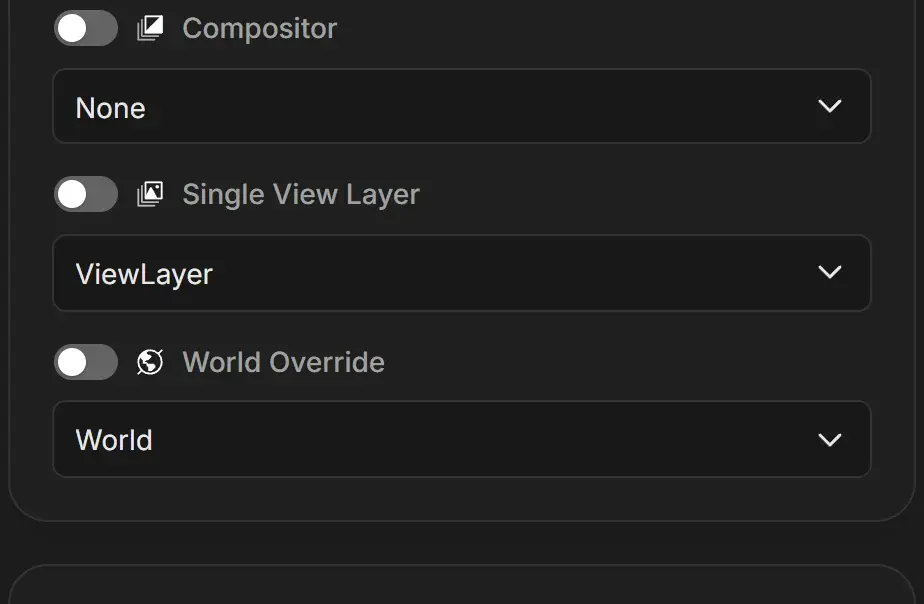
Turn the compositor on or off
- Select the job.
- Click the Compositor switch in the scene card.
| Action | Result |
|---|---|
| Turn the switch on | The current compositor, or the first one available, is selected |
| Turn the switch off | The dropdown changes to None and the render skips compositing |
| Pick a compositor while the switch is off | The switch turns on automatically |
| Pick None | The switch turns off |
New jobs follow the .blend file: if compositing was on and a compositor was set when you saved, the job starts that way.
Choose which compositor to use
The options depend on the Blender version that renders the job:
| Blender version | Options in the dropdown |
|---|---|
| Blender 4.x | None and Use Compositor (the scene's single node tree) |
| Blender 5.x | None and every compositor node group in the file, by name |
What the compositor affects
- Color grading, glare, lens effects and any other nodes run on each frame before it is saved.
- File Output nodes only write files while the compositor is on. Their folders appear on the Output card when the selected compositor contains them. See Render compositor File Output nodes.
- The change only applies to the render. The
.blendfile is not modified.
Use the compositor with Single View Layer
Compositor and Single View Layer can be used together. When Single View Layer is on, compositors that contain more than one Render Layers node are shown in amber with a warning triangle in the list.
If you pick one of them, a warning appears: "Incompatible with "Single View Layer" - This compositor has more than 1 "Render Layers" node and will be ignored." Choose one of its buttons:
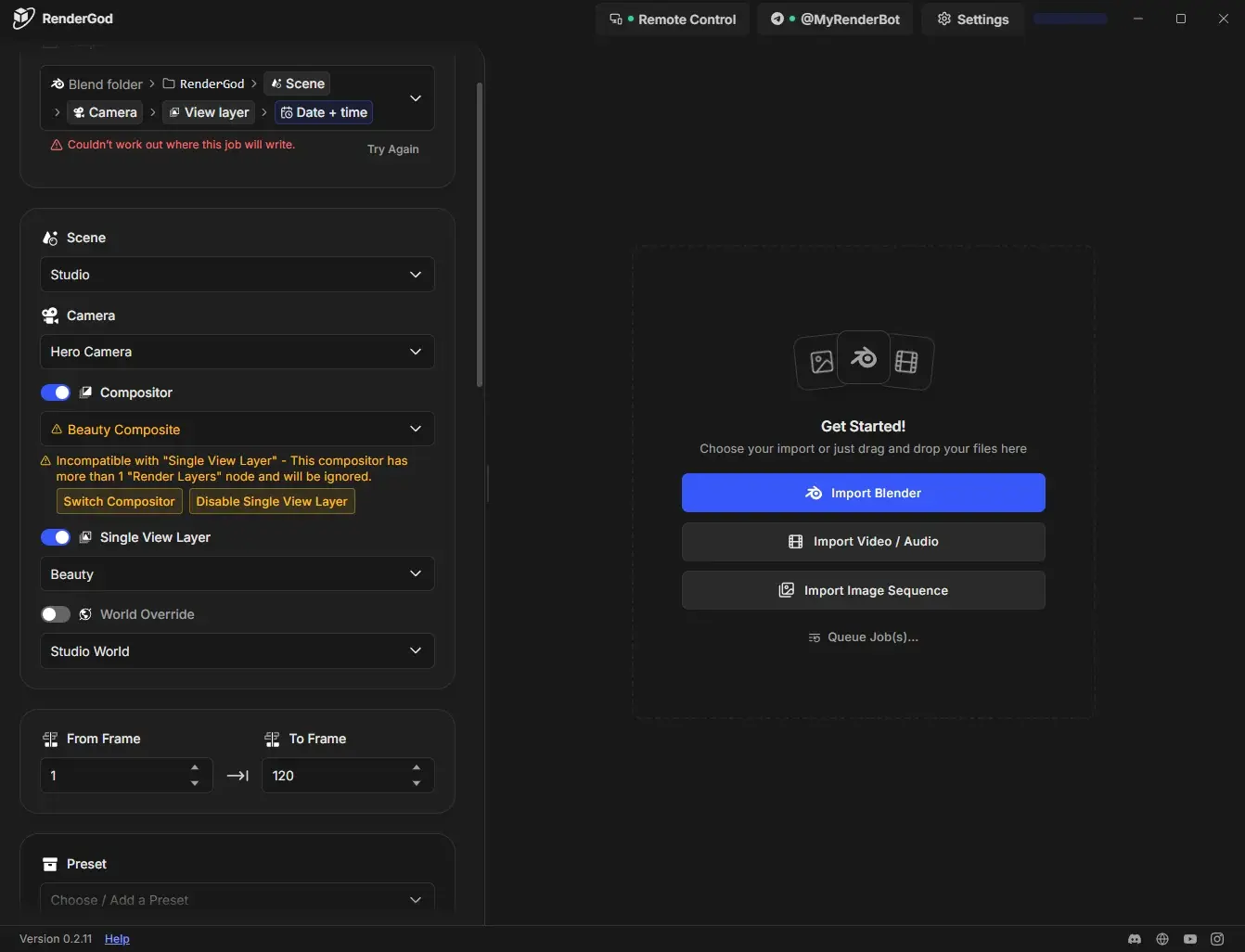
| Button | What it does |
|---|---|
| Switch Compositor | Opens the dropdown so you can pick a compositor with a single Render Layers node |
| Disable Single View Layer | Turns off Single View Layer so all view layers render through the chosen compositor |
See Render a single view layer.