Settings
Conversion Defaults Settings in RenderGod
Set the video format, CPU or GPU encoder, FPS, image format and audio format that new Image To Video, Video To Image and Extract Audio jobs start with.
Conversion Defaults set the starting format and frame rate for new conversion jobs, so you do not pick the same codec every time. "Defaults for new conversion tasks. Existing tasks keep their settings."
Open it from Settings > Conversion Defaults, or choose ⚙ Setup Defaults in any encoding format dropdown.
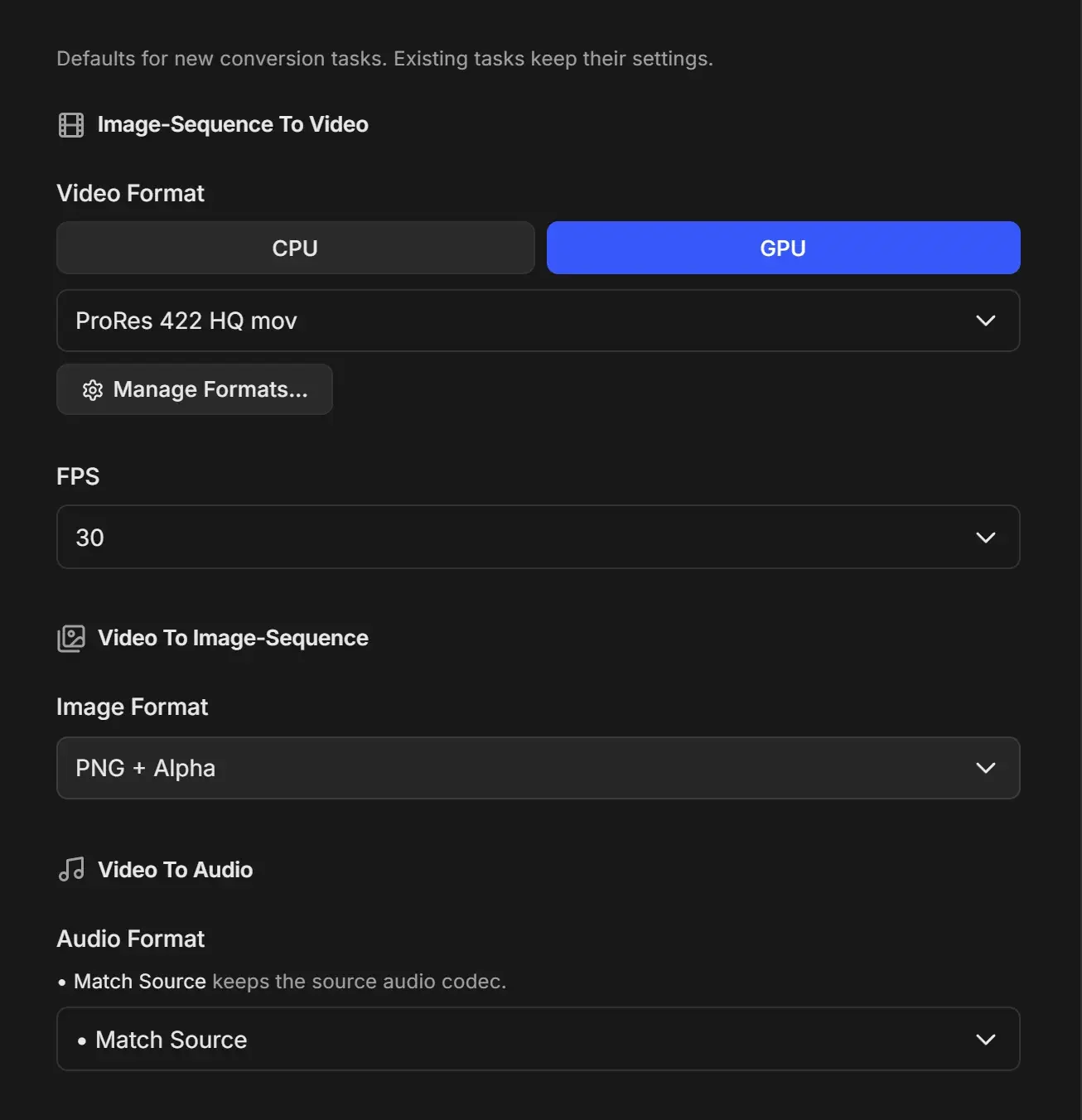
Image-Sequence To Video
Used when you turn an image sequence into a video.
| Setting | Options | Default |
|---|---|---|
| Video Format encoder | CPU or GPU | GPU |
| Video Format | Formats grouped by family: ProRes, H.264, H.265, AV1, VP9, DNxHD, Uncompressed, Animation, PNG Lossless | ProRes 422 HQ mov |
| FPS | 23.976, 24, 25, 29.97, 30, 50, 59.94, 60, 100, 120, any custom rates you added, and CUSTOM ADD | 30 |
- CPU is slower and usually holds detail better at low bitrates. GPU is much faster, with quality close to CPU at normal bitrates. With GPU selected, families that only encode on the CPU are marked "(CPU only)". See GPU and CPU encoding.
- The CPU or GPU choice is shared with Auto Create Video.
- The format dropdown also offers + Add Custom Format and • Format Manager. The pencil icon next to a format edits it. Manage Formats… opens the Format Manager. See Manage encoding formats.
- CUSTOM ADD opens Add Custom FPS. Enter a frame rate greater than zero; decimals such as 23.976 are allowed. See Frame rate and custom FPS.
Video To Image-Sequence
| Setting | Options | Default |
|---|---|---|
| Image Format | PNG + Alpha, PNG, EXR Lossless (ZIP), EXR Fast (DWAA), EXR Uncompressed, JPEG Baseline, JPEG Progressive, JPEG Fastest | PNG + Alpha |
Video To Audio
| Setting | Options | Default |
|---|---|---|
| Audio Format | • Match Source; WAV (PCM 16-bit), WAV (PCM 24-bit), WAV (PCM 32-bit Float), FLAC; MP3 320, 256, 192 or 128 kbps; AAC 320, 256, 192 or 128 kbps; OGG Vorbis HQ, OGG Vorbis, OPUS 256kbps, OPUS 192kbps, OPUS 128kbps | • Match Source |
• Match Source picks the audio format closest to the source codec, for example AAC for a video with AAC sound. The audio is still re-encoded.