Create a Custom Video Encoding Format
Build your own RenderGod video format with the codec, container, quality or bitrate, ProRes or DNxHD profile, pixel format and per-encoder settings you need.
Create a custom encoding format when the built-in list does not have what you deliver, for example ProRes 422 LT for dailies, H.264 at 50 Mbps for a broadcaster, AV1 for the web or VP9 with transparency. The new format appears in every video format list.
Create the format
Open Add Format
In any video format list, choose + Add Custom Format. Or open the Format Manager and click Add New Format.
Pick the codec and container
Choose Codec and Container. The other fields change to match the codec.
Set quality or bitrate
Move the Quality slider, or set Rate Control to Bitrate and type a value in Mbps.
Check the name and add
The Auto-name line shows what the format will be called. Click Add.
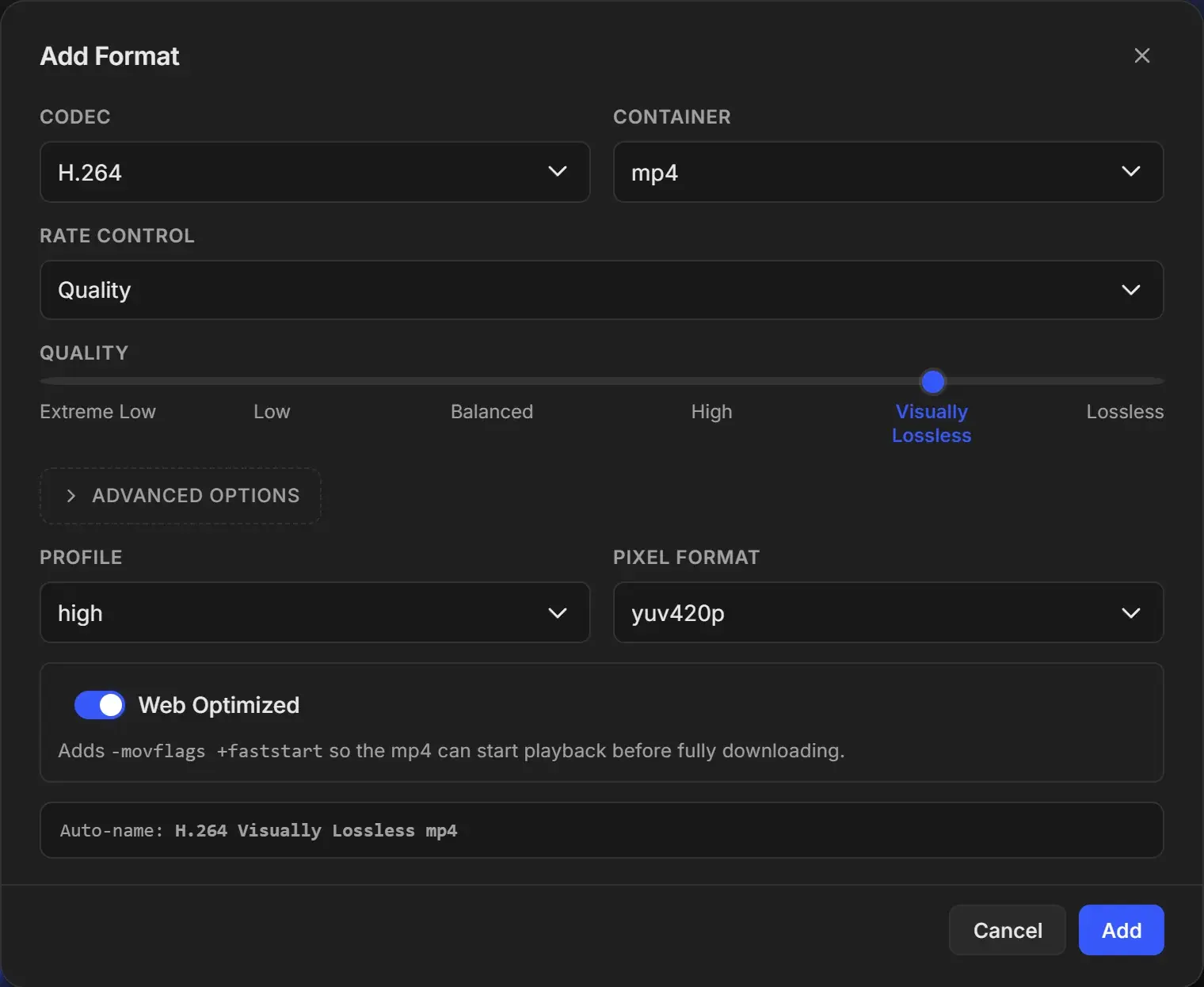
Basic settings
| Field | Options | Shown for |
|---|---|---|
| Codec | H.264, H.265, AV1, VP9, ProRes, DNxHD, Uncompressed, Animation, PNG Lossless | All |
| Container | H.264, H.265, AV1: mp4, mkv. VP9: webm, mkv. Others: mov, mkv | All |
| ProRes Profile | ProRes 422 Proxy (0), ProRes 422 LT (1), ProRes 422 (2), ProRes 422 HQ (3), ProRes 4444 (4444) | ProRes. 4444 keeps alpha. |
| DNxHD Profile | DNxHD 220x (220M), DNxHD 145 (145M), DNxHD 36 (36M) | DNxHD |
| Rate Control | Quality or Bitrate (AV1 and VP9: Quality only) | H.264, H.265, AV1, VP9 |
| Quality | Extreme Low, Low, Balanced, High, Visually Lossless, Lossless | Rate Control Quality |
| Bitrate (Mbps) | Whole number, 1 or more | Rate Control Bitrate |
| Profile | H.264: baseline, main, high. H.265: main, main10 | H.264, H.265 |
| Pixel Format | H.264, H.265: yuv420p, yuv420p10le, yuv422p10le. AV1: yuv420p, yuv420p10le. VP9: yuv420p, yuva420p (alpha). Uncompressed: rgb24, rgba, bgr24, bgra | Those codecs |
| Web Optimized | On or off | H.264, H.265, AV1 in mp4. Lets the file start playing before it fully downloads. |
For what each option means in practice, see Video encoding formats explained.
Match the profile to the pixel format
| Codec | Profile | Use pixel format |
|---|---|---|
| H.264 | high | yuv420p |
| H.264 | main, baseline | yuv420p |
| H.265 | main | yuv420p |
| H.265 | main10 | yuv420p10le |
Mixing them, for example main10 with yuv420p or baseline with a 10-bit pixel format, can make the encode fail. When you switch H.265 to 8-bit, also switch the profile to main.
Advanced options
Click Advanced options to fine-tune each encoder. Leave a cell empty to keep the automatic value shown in grey, which follows the Quality slider.
For H.264, H.265, AV1 and VP9, Per-engine numeric overrides has one row per encoder:
| Column | What it sets |
|---|---|
| Engine | CPU, NVENC (NVIDIA), AMF (AMD), D3D12 (DirectX 12). H.265 has no D3D12 row, VP9 has only CPU. |
| Quality | The encoder's own quality number: CRF for CPU, CQ for NVENC, QP for AMF and D3D12. Lower means higher quality and bigger files. Hidden in Bitrate mode. |
| Speed | CPU: Fastest to Slowest (slower gives smaller files at the same quality). NVENC: P1 to P7. Not available for AMF and D3D12. |
| GOP | Frames between keyframes. Shorter GOPs scrub better but make bigger files. |
| B-frames | Number of B-frames (H.264 and H.265 only) |
Only override the encoders you use. A small dot next to an overridden value reverts it to automatic.
Custom FFmpeg flags adds extra encoder options at the end, for example -tune film. Options that change the input, filters or output file, and values containing paths, are refused when you save.
On macOS
The engine rows are the Windows encoders. When a Mac job encodes with GPU, it uses VideoToolbox and these overrides do not apply. They still apply to the CPU row.
Edit or delete a custom format
Click the pencil next to the format in any format list or in the Format Manager. Edit Format has the same fields and a Delete button, which removes the format immediately. Changing settings renames the format. Jobs that already use it keep their own copy.