Media Conversion
Convert an Image Sequence to Another Format
Convert a folder of rendered frames to PNG, PNG with alpha, EXR or JPEG in RenderGod. Pick the image format and a safe export folder, then run it.
Convert an image sequence to another format when a compositor, editor or client needs frames in a different file type, for example JPEG previews from PNG renders.
Convert the frames
Import the sequence
Click Import > Image Sequence and pick the frames folder, or drag the folder onto the window. Click the new job card.
Switch to Image Sequence
Under Convert Image Sequence To, click Image Sequence.
Pick a new export folder
In Export Folder, choose an empty folder. It starts as the frames folder, which is not a safe place for converted frames (see below).
Choose the image format and start
Pick a format under Image Format and click Start.
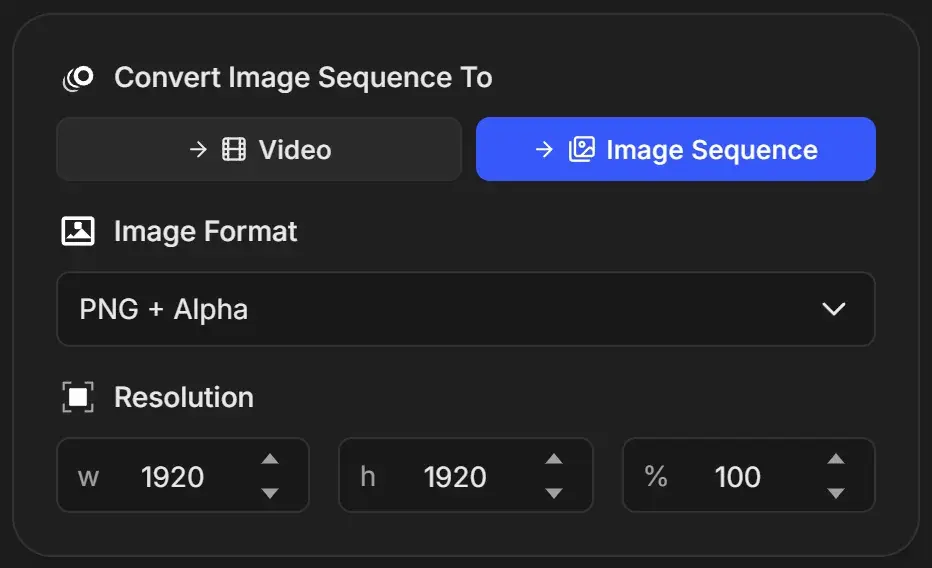
Converted frames are named
frame_0001, frame_0002 and so on, and existing files with the same name are replaced without asking. If your source frames use the same names and you keep the source folder as the export folder, the source frames can be overwritten. Always export to a separate folder.Image formats
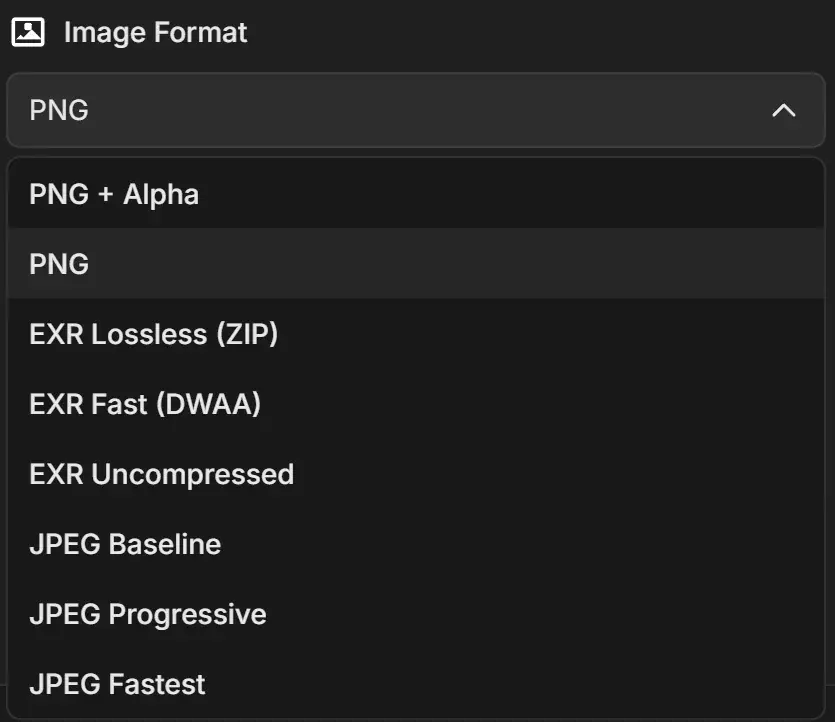
| Option | File | Alpha | When to use it |
|---|---|---|---|
| PNG + Alpha | .png, 8-bit | Yes | Frames with transparency for compositing or editing |
| PNG | .png, 8-bit | No | Lossless frames without transparency |
| EXR Lossless (ZIP), EXR Fast (DWAA), EXR Uncompressed | .exr, 32-bit float | No | Compositing apps that expect EXR |
| JPEG Baseline | .jpg | No | Small, high-quality preview frames |
| JPEG Progressive | .jpg | No | Same quality as Baseline |
| JPEG Fastest | .jpg | No | The smallest JPEG frames, slightly lower quality |
- The three EXR options currently produce the same kind of file: 32-bit float EXR without alpha. Choose any of them.
- Converting 8-bit frames such as PNG or JPEG to EXR does not add dynamic range. It only changes the container.
- Converting PNG with alpha to JPEG or EXR drops the transparency.
Output details
- Frames are numbered from
frame_0001whatever the source numbering was. A 1001-1120 sequence becomesframe_0001toframe_0120. - The Resolution fields show the size of the source frames.