Manage Video Encoding Formats in the Format Manager
Use the RenderGod Format Manager to edit, delete, add and restore the video encoding formats that appear in every format list, built-in or your own.
The Format Manager holds the library of video formats that appears in every encoding list in RenderGod: image sequence and video conversions, Auto Create Video and Conversion Defaults. Edit it once and every list updates.
Open the Format Manager
- In any video format list, choose • Format Manager at the bottom.
- Or go to Settings > Conversion Defaults and click Manage Formats….
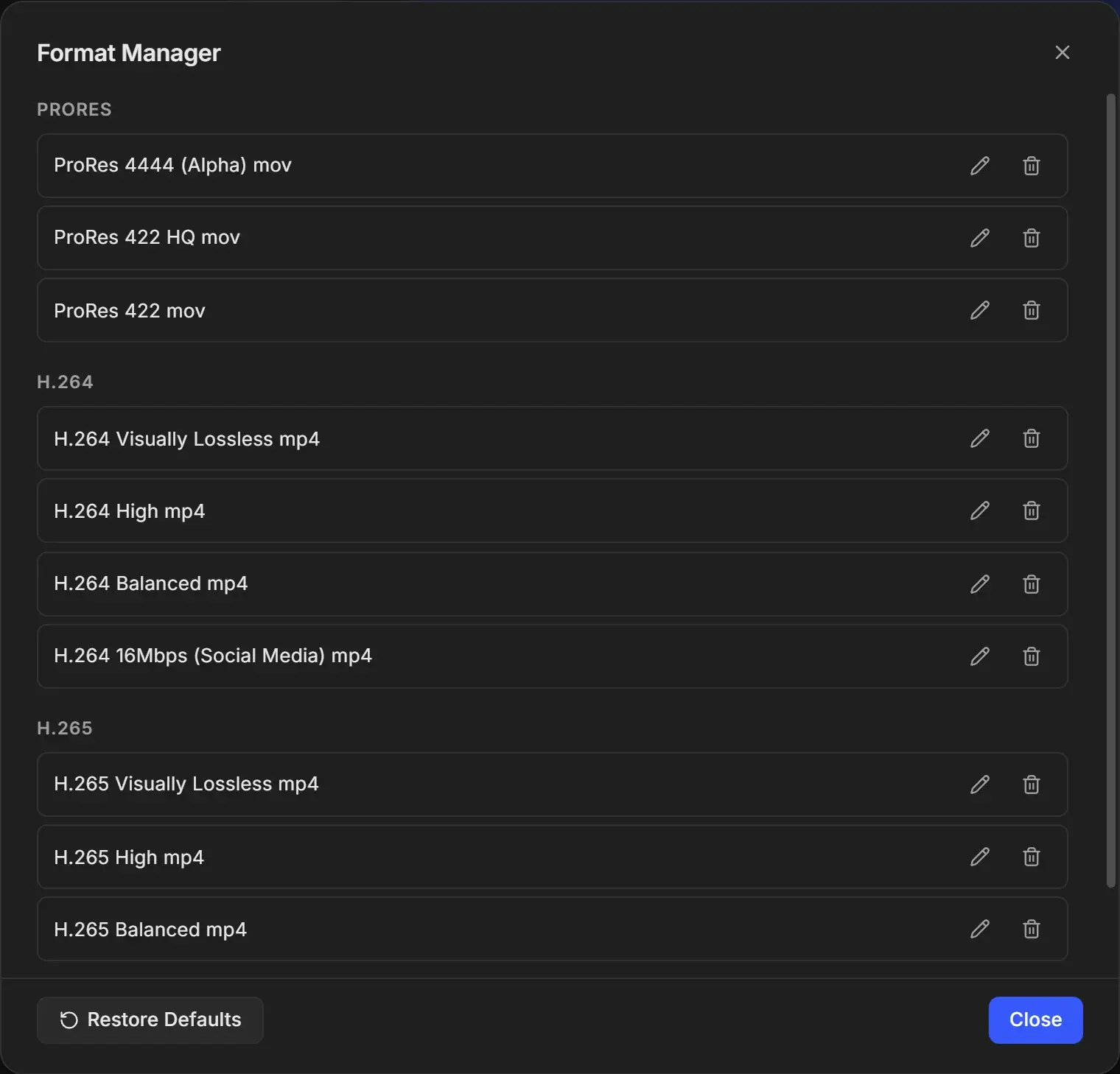
What you can do
| Action | How | Notes |
|---|---|---|
| Edit a format | Click the pencil next to it | Opens Edit Format. You can also click the pencil next to a format in any format list. |
| Delete a format | Click the trash icon | Deleted right away, with no confirmation. You cannot delete the last format. |
| Add a format | Click Add New Format | See Create a custom encoding format. |
| Bring back built-in formats | Click Restore Defaults | Re-adds any built-in format you deleted. |
Formats are grouped by codec in this order: ProRes, H.264, H.265, AV1, VP9, DNxHD, Uncompressed, Animation, PNG Lossless. Empty groups are hidden.
Format names
You do not type a name. RenderGod names each format from its settings, such as H.264 High mp4, H.265 50Mbps mp4 or ProRes 4444 (Alpha) mov. Changing a format's settings also changes its name. Two formats with identical settings cannot exist, because they would have the same name.
Built-in formats behave like your own
The ten built-in formats can be edited and deleted like any other. Restore Defaults only adds back the ones that are missing. It does not undo changes you made to a built-in format. To get a built-in format back to its original settings, delete it and click Restore Defaults.
Existing jobs keep their format
A job stores a copy of the format it was given. Editing or deleting that format in the Format Manager does not change the job. In the job's format list, the old version appears under Detached (from this job) so you can see exactly what it will encode with. Pick a format from the library to switch the job to the current version.