Optimization Overrides Defaults for New Jobs
Set the GPU, persistent data, tile size, Fast GI, texture limit, texture cache and add-on overrides that every new RenderGod render job starts with.
Optimization Overrides settings choose the speed and memory overrides that new render jobs start with. "Override scene settings for new jobs without modifying the .blend file. Existing jobs keep their settings."
Open it from Settings > Optimization Overrides, or click the gear icon on a job's Optimization Overrides row.
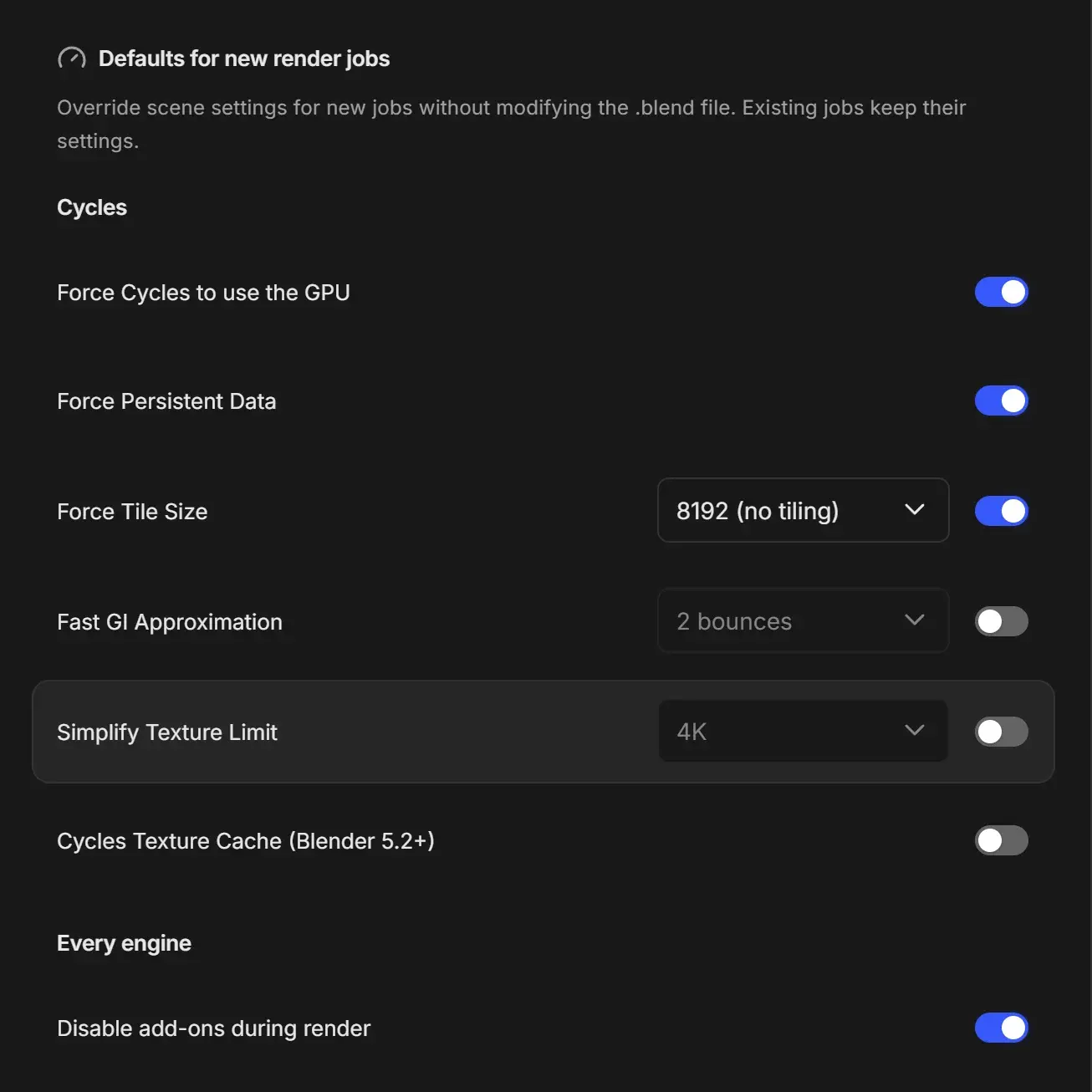
Defaults
Each row has a switch on the right. Rows with a value have a dropdown next to the title, greyed out while the switch is off. Hover a title to see what it does.
Cycles
| Override | Default | Value options (default in bold) | What it does |
|---|---|---|---|
| Force Cycles to use the GPU | On | none | Uses the available GPU backend for Cycles. No effect without a supported GPU. |
| Force Persistent Data | On | none | Keeps scene data in memory for faster re-renders. |
| Force Tile Size | On | 8192 (no tiling), 4096, 2048, 1024, 512 | Overrides the scene's Cycles tile size. |
| Fast GI Approximation | Off | 1 bounce, 2 bounces, 3 bounces, 4 bounces, 6 bounces, 8 bounces | Replaces light bounces with ambient occlusion after the chosen count. |
| Simplify Texture Limit | Off | 128, 256, 512, 1K, 2K, 4K, 8K | Downscales textures larger than the chosen size. |
| Cycles Texture Cache (Blender 5.2+) | Off | none | Creates .tx copies beside textures to reduce VRAM use. Needs more disk space and has no effect before Blender 5.2. |
Every engine
| Override | Default | What it does |
|---|---|---|
| Disable add-ons during render | On | Skips your Blender add-ons for faster startup. Turn off if the render depends on an add-on. |
Overrides are applied only while the job renders. Your .blend file is never modified. What each override does in detail, and when to change it, is on Optimization overrides.
The values on a job's own Optimization Overrides row always win over these defaults.