Auto Create Video Default for New Render Jobs
Decide whether new render jobs encode their frames into a video automatically, and pick the default CPU or GPU encoder and video format they use.
The Auto Create Video setting decides whether new render jobs turn their frames into a video when rendering finishes, and which format that video uses. "Defaults for new render jobs. Existing jobs keep their settings."
Open it from Settings > Auto Create Video, or click the gear icon on a job's Auto Create Video card.
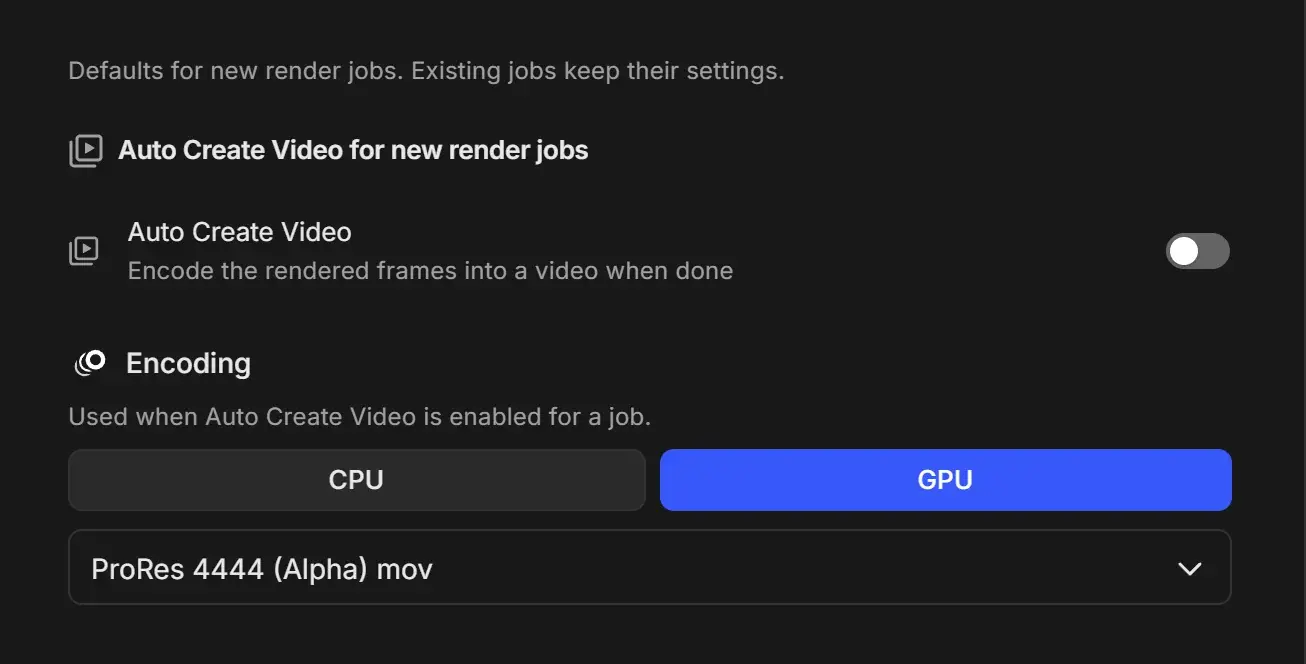
Settings
| Setting | Control | Default | What it does |
|---|---|---|---|
| Auto Create Video | Switch | Off | "Encode the rendered frames into a video when done." New render jobs start with Auto Create Video on or off. |
| Encoding encoder | CPU or GPU | GPU | Which encoder the video uses. Shared with Conversion Defaults. |
| Encoding format | Format dropdown (same list as Conversion Defaults) | ProRes 4444 (Alpha) mov | "Used when Auto Create Video is enabled for a job." |
You can change the encoding while the switch is off. It is saved and used by any job where you turn Auto Create Video on.
ProRes 4444 keeps transparency. For a small file to share, pick an H.264 or H.265 format instead. See Video encoding formats explained.
Each job can override these values on its own Auto Create Video card.