Render Queue
Skip a Job Without Removing It From the Queue
Use the switch on a RenderGod job card to skip a render job for now and keep all its settings, then include it again with one click when you need it.
Skip a job when you want the queue to leave it out for now but keep it and its settings. Skipped jobs stay in place and render again as soon as you include them.
Skip a job
Click the small switch inside the job's status label. The switch turns off, the label reads Skipped and the card turns grey.
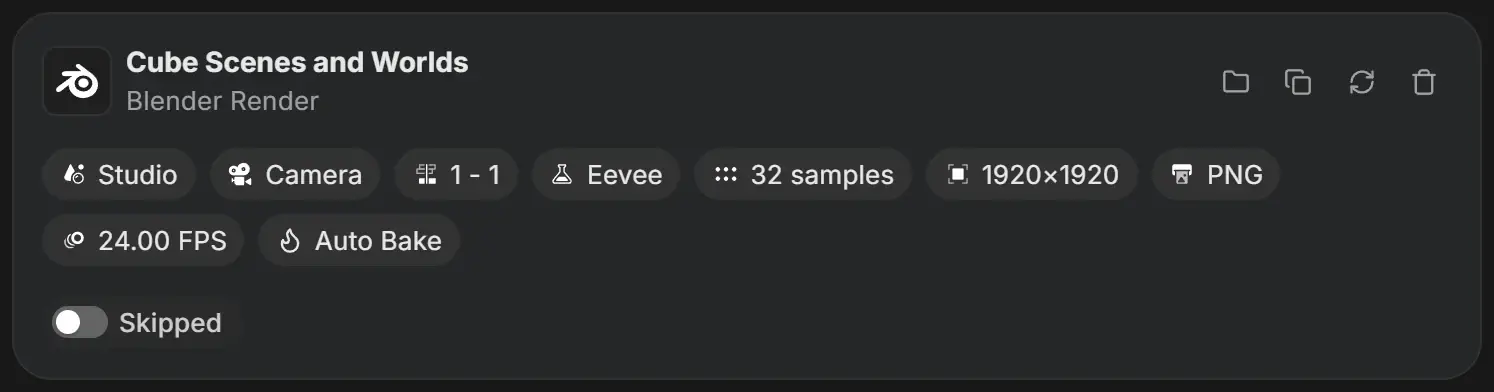
Include a skipped job again
Click the switch again. The job returns to Queued and renders when the queue reaches it.
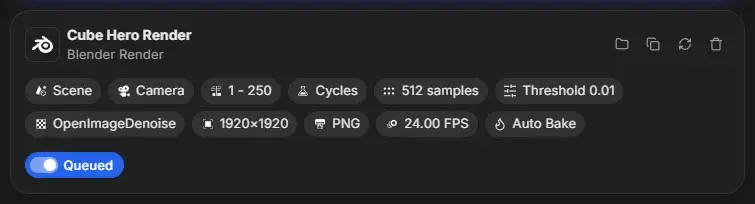
Which jobs can be skipped
| Status | Switch shown | Result |
|---|---|---|
| Queued | Yes | Becomes Skipped |
| Paused at frame N | Yes | Becomes Skipped |
| Failed | Yes | Becomes Skipped. Turn it on again to queue it. |
| Skipped | Yes, off | Becomes Queued |
| Rendering, Baking, Done | No | - |
Hover over the switch to see "Click to skip this job" or "Click to include in queue".
If every job in the queue is skipped, Start shows "Every job is skipped. Unskip at least one to render it."
To take a job out of the queue for good, see Remove jobs and clear the queue.