Send the Current Blender Scene to RenderGod
Use the Send to RenderGod button in Blender's sidebar or Render menu to save your .blend file and add it to the render queue in one click, with error fixes.
Send the current Blender scene to RenderGod when you are ready to render: the add-on saves the file and adds it to the render queue as a new job. You need the add-on installed.
Send a scene
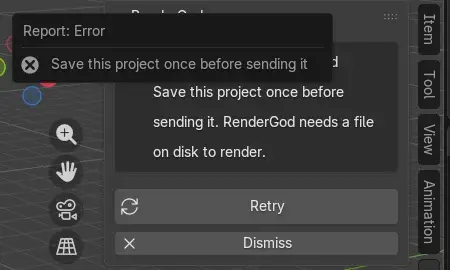
Save the .blend file at least once with File > Save As. A new, never saved file cannot be sent.
Click Send to RenderGod, either in the 3D Viewport sidebar (press N, then the RenderGod tab) or in the Render menu.
RenderGod comes to the front, or starts if it was closed, and the file appears at the bottom of the queue.
You do not need to save before clicking: the button saves the file for you.
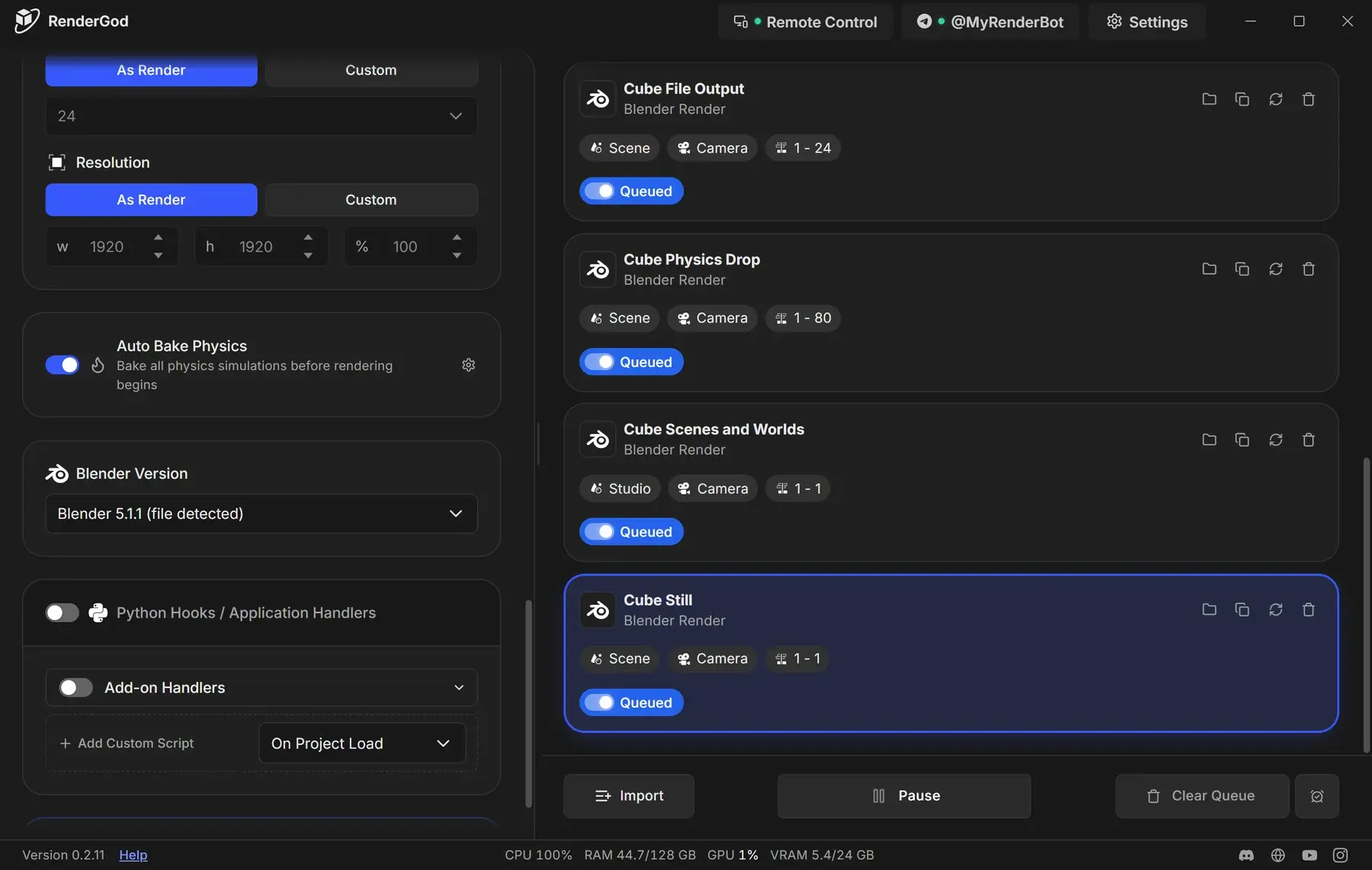
The job starts with the settings saved in the file. Adjust it in the render settings panel, then start the queue.
Read the result in the sidebar
The RenderGod panel keeps the result of the last send until you send again or click Dismiss.
| Panel shows | Meaning | Buttons |
|---|---|---|
| Send to RenderGod | Ready | |
| "Saved and sent to RenderGod" and the file name | The file was saved and handed to RenderGod | Save and Send Again, Dismiss |
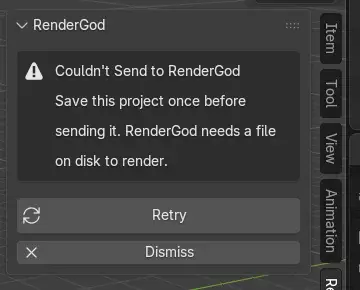
| "Couldn't Send to RenderGod" and a reason | Nothing was added to the queue | Retry, Dismiss |
Blender's status bar also shows "Saved and sent 'Cube Still.blend' to RenderGod" after a successful send.
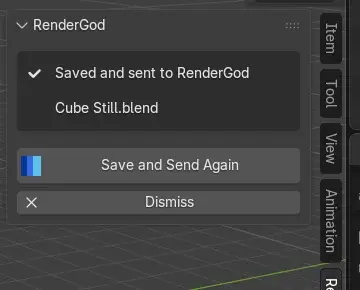
Sending the same file again adds another job; it does not update the existing one. To refresh a job after editing the file, see Reload settings after changing the .blend file.
Fix a send that failed
| Message | Cause | Fix |
|---|---|---|
| "Save this project once before sending it. RenderGod needs a file on disk to render." | The file has never been saved | Use File > Save As, then click Retry |
| "Couldn't export this scene's data. See Blender's system console for the reason, then try again." | Blender could not read the scene details | Open Window > Toggle System Console (Windows) to see the reason, fix it, then Retry |
| "Couldn't find RenderGod on this computer. Install it and run it once, or set its folder in the add-on preferences." | The add-on cannot locate RenderGod | Open RenderGod once, or set the folder as described in Add-on troubleshooting |
| Any other message | RenderGod could not be started | Start RenderGod yourself and Retry |