DownloadRenderGod
The render queue for Blender. Add your .blend files, press Start, and RenderGod renders them all.
Version 0.4.4 · October 18, 2026 · 231 MB
System requirements
- Windows 10 or 11
- Blender 4.2 or newer
- A Google account to sign in
- Internet to start a render
Install in 6 easy steps
It takes about a minute. No settings to change.
Prefer to read it in one place? See the full install guide.
Download the installer
Click Download for Windows above and save
RenderGod_Installer.exesomewhere you can find it, like your Downloads folder.Tip: Only download from rendergod.app, so you always get the real installer.
Open it and get past the Windows warning
Windows may say it protected your PC, because RenderGod is a new app. Click More info, then Run anyway.
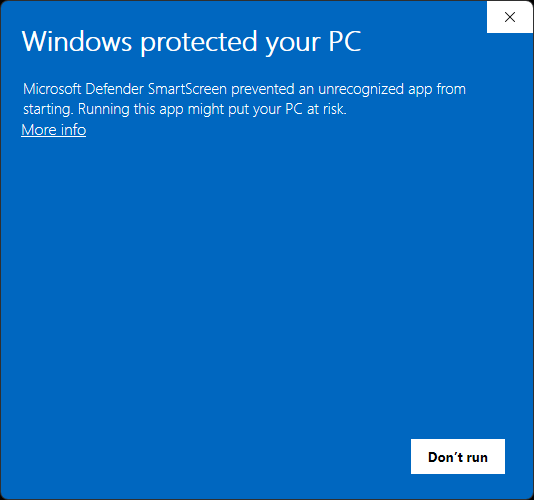
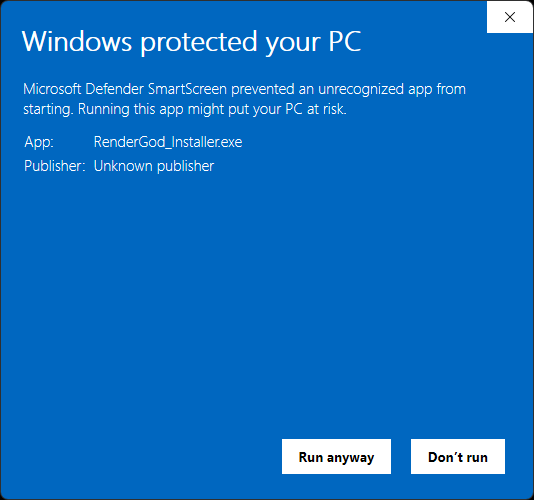
Tip: Windows shows this for new apps that have not built up a download history yet. If you want to be sure, scan it with your antivirus first.
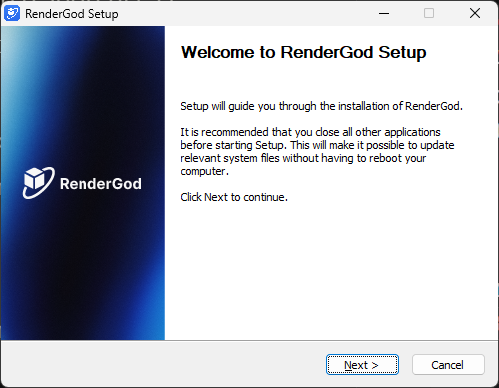
Welcome
The setup wizard opens. Click Next.
Pick a location
Leave the default folder,
C:\Program Files\RenderGod, and click Next.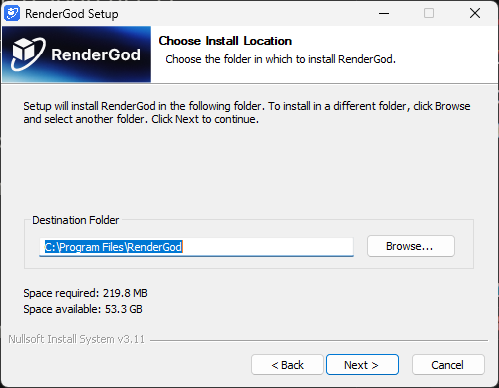
Tip: Want it on another drive? Click Browse and choose a folder.
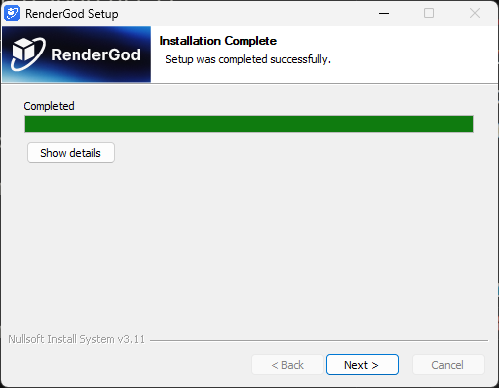
Wait a few seconds
The files copy over on their own. When the bar turns green and says Completed, click Next.
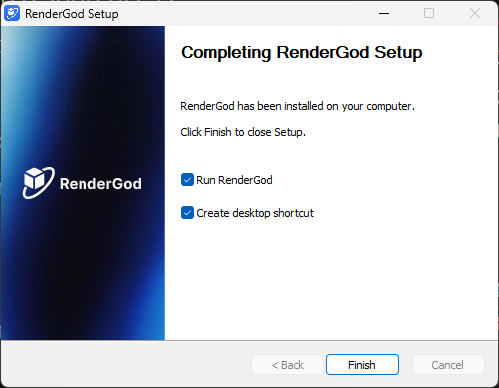
Finish
Keep both boxes checked, Run RenderGod and Create desktop shortcut, then click Finish.
You're all set 🎉
Open RenderGod from the desktop shortcut or the Start menu. You should see an empty render queue, ready for your first project.