RenderGod
    DownloadFeaturesPricingDocs
    DownloadFeaturesPricingDocs

    RenderGod - Intelligent Rendering Tool

    RenderGod is a Intelligent Rendering Tool that provides fast, reliable, and affordable cloud rendering for your 3D projects. Features include UnCrash Render technology, batch rendering, queue management, Telegram bot integration, and advanced automation tools for Blender 3.0+.

    • UnCrash Render - Intelligent crash recovery system
    • Batch Rendering - Queue multiple projects efficiently
    • Telegram Bot - Remote monitoring and control
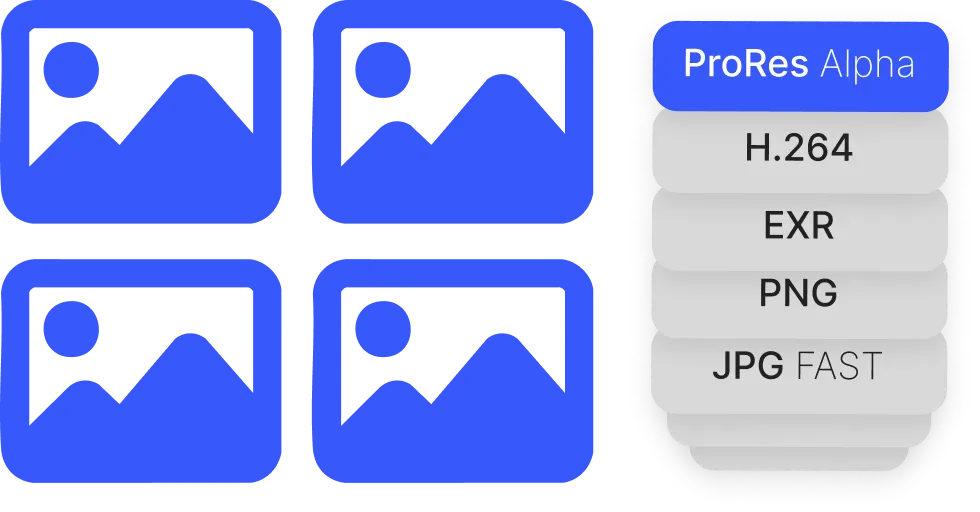
    • Image to Video Conversion - Convert image sequences to video
    • Video to Image Sequence - Extract frames from video files
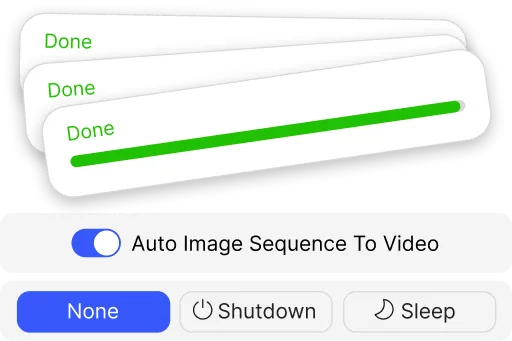
    • Action When Done - Automatic shutdown or sleep after rendering
    • Smart Export Paths - Organized folder structures
    RenderGod Logo

    RenderGod

    Revolutionizing 3D rendering with smart automation and crash recovery.

    Product

    • Features
    • Download
    • Docs
    • Pricing

    Company

    • About
    • Terms of Service
    • Blog
    • Contact

    Resources

    • Help Center
    • API
    • Status
    • Community

    © 2026 RenderGod. All rights reserved.

    • Terms and Conditions
    • Privacy Policy

    Control From
    Anywhere Telegram Icon

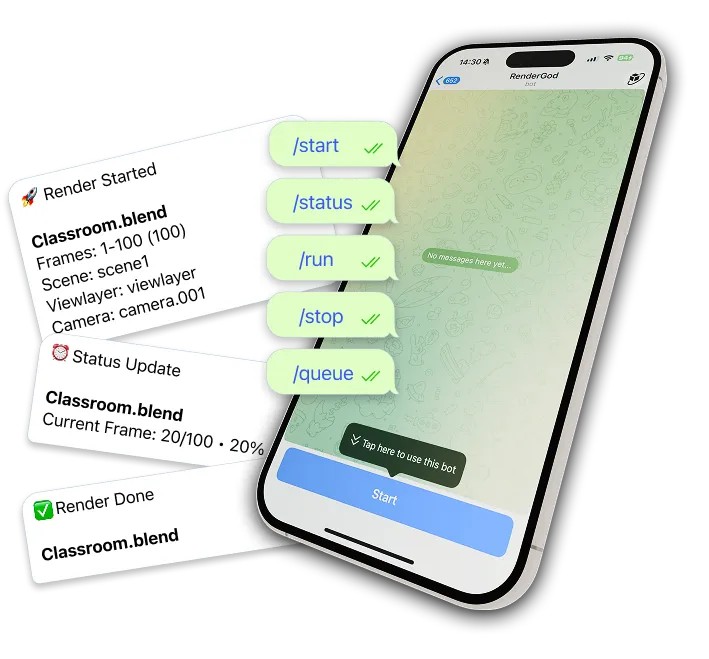
    Go outsideGrab a coffeeYou have full control via advanced Telegram Bot.

    This isn’t just notifications - it’s a command center, in your pocket.

    LIVE Previews

    New

    Video and image previews sent directly to your phone.

    Remote Management

    Pause, stop, or prioritize via chat commands.

    REAL-TIME Updates

    Know the second a render is done.

    Telegram bot interface on iPhone showing render job management and notifications

    UnCrash Render Recovery

    Your renders finish while you sleep. Unplanned events are handled automatically.

    An intelligent recovery system designed to ensure your renders always finish successfully by automatically detecting Blender crashes, stuck frames, or PC reboots, and seamlessly resuming from the exact frame it stopped without losing any progress.

    Crash Recovery

    Detects Blender crashes instantly and resumes from the exact frame it left of.

    Freeze Detection

    Catches stuck frames and restarts automatically to prevent endless hangs.

    Survives System Reboots

    Resumes the render after a pc crash or power loss, bypassing the Windows login screen automatically via a secure encrypted session.

    Hands-Free
    Smart Retry Limits
    Telegram Alerts
    Fully Customizable
    Advanced Render Queue Interface

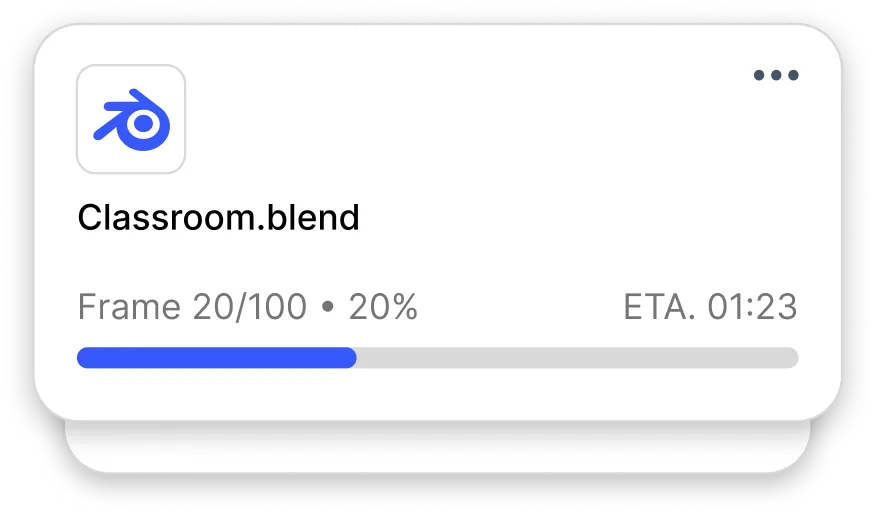
    Render Queue

    Manage multiple render tasks and media conversions simultaneously. The ultimate dashboard for your production pipeline.

    Real-time StatusRemaining Time EstimateBulk ProcessingCustom Presets
    Queue Multiple Features

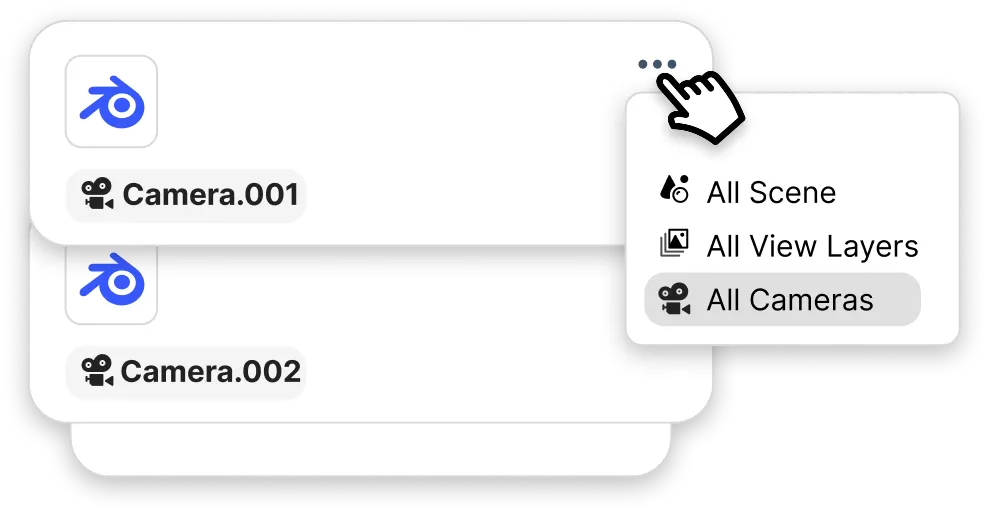
    Batch Generator

    Auto-generate queue items for all scenes, cameras, and viewlayers with one click. Stop wasting time adding items manually.

    Multi-SceneAuto-CameraAny-Combinations
    Advanced Live Preview Interface

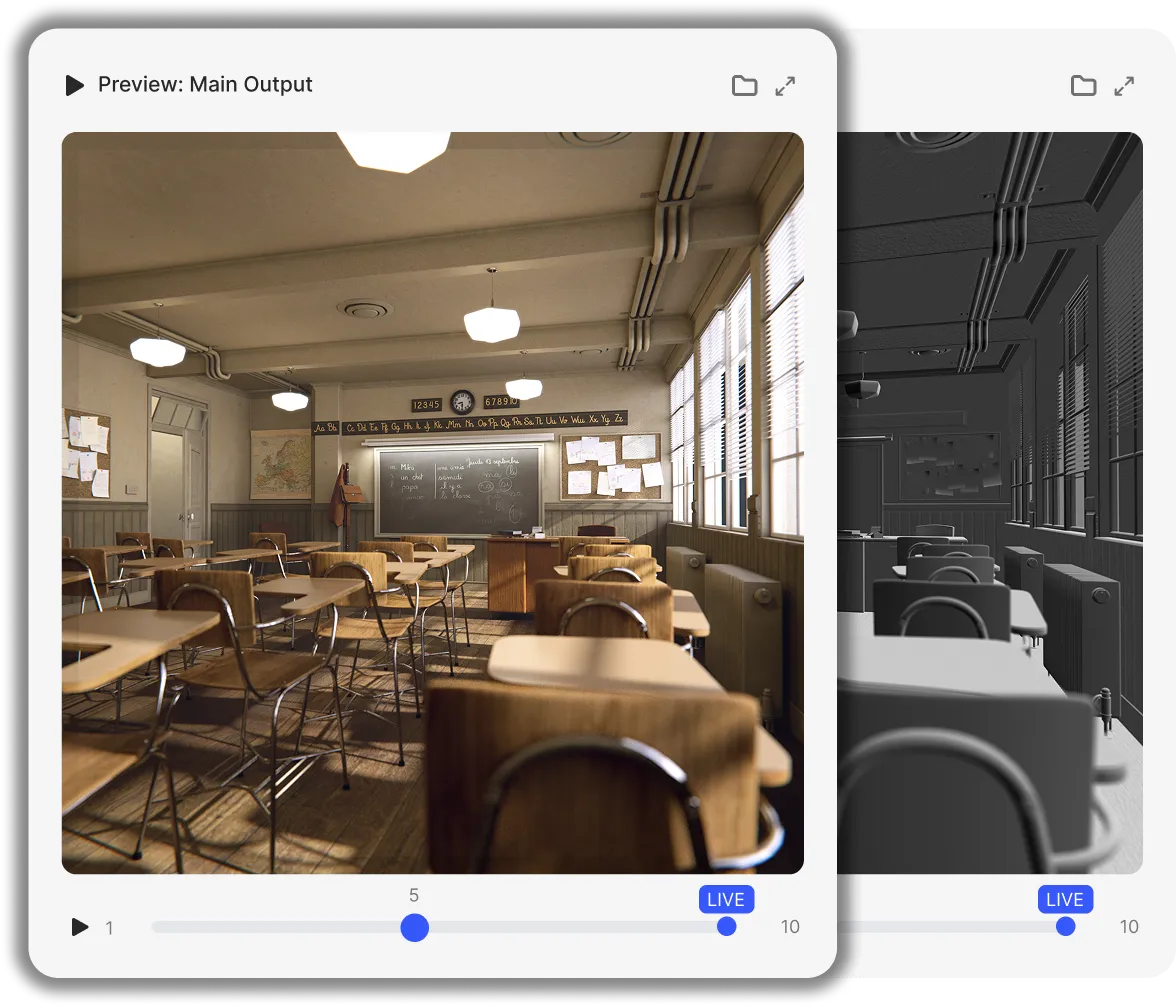
    Live Preview

    Instant visual feedback for every frame. No more "Render and Pray" - see exactly what's happening.

    Real-Time PlaybackScroll-Wheel ZoomGrid for Output Nodes/LayersSupports EXR include Multilayer

    Boost Performance

    Max Your Hardware with integrated Blender and System-level optimizations.

    System-level OptimizationsGPU ForcesScene Optimization Toggles|
    GPU Accelerated

    See how RenderGod delivers 18.11% faster render in this showcase:

    Standard Blender
    0 / 10 Frames
    00:00:00
    RenderGod
    0 / 10 Frames
    00:00:00

    Showcase playing on x10 Speed · 10 Frames, Exact Same Scene, Exact Same Settings.

    Tested on RTX 4090, Scene: Classroom, 32 Samples, OptiX denoiser.

    1

    Click

    Click pointer
    Image Sequence to Video Interface

    Image-Sequences To Video

    Convert Image-Sequences to Video or extract frames from videos with ease. A powerful, lightning-fast workflow for final delivery.

    One-Click ExportPro Media Encoders
    Smart Export Interface

    Smart Export

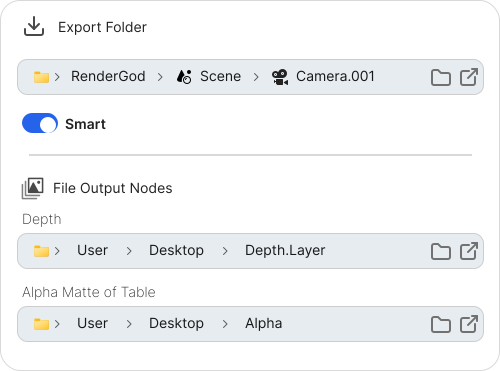
    One toggle to organize everything. Automate your entire export folder structure across all scenes, cameras, and view layers instantly.

    Dynamic Folder PathsAuto-Versioning SystemCustomizable

    Native File Output Node Support

    Full control over complex compositor setups. Automatically sync, organize, and open multiple File Output Nodes with a single click—no more manual path hunting.

    Action When Done Features

    Actions When Done

    Never let your renders sit finished. Execute custom actions Automaticly.

    Auto Sleep / ShutdownAuto Video From Image-SequenceCustom Actions
    Blender Addon Interface

    Native Integration

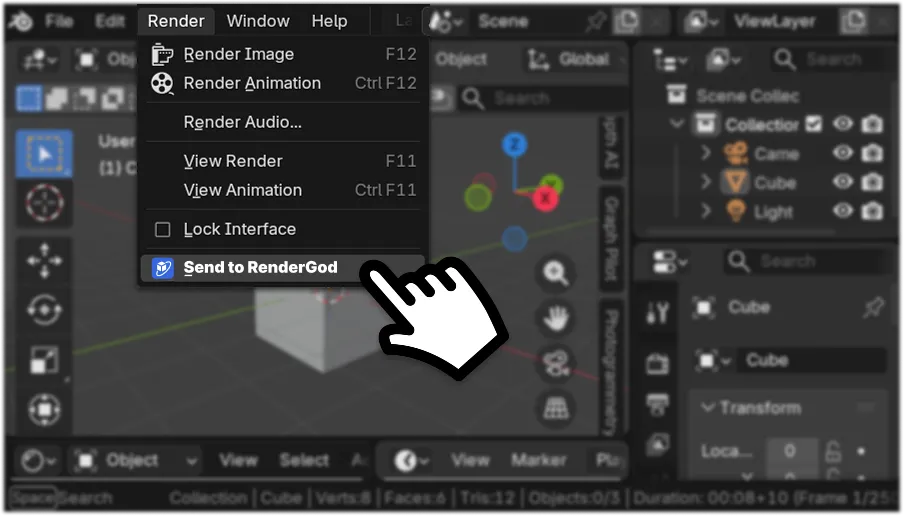
    One click inside blender to start render. The seamless bridge between your creation and our power.

    In Blender Sidebar1 Click Connect
    Auto Bake Physics Interface

    Auto Bake Physics

    All physics simulations - rigid bodies, cloth, fluids, smoke, and more - are automatically baked before rendering begins. No mid-render stalls, no broken simulations. Just stable, deterministic results. Set it up, hit render, and walk away.

    All Physics TypesFully AutomaticStable & Fast Renders

    How RenderGod Works

    From simple setup to remote control, streamline your rendering workflow.

    00

    First-time Initialization

    UnCrash Preferences, Link Telegram Bot, Post Actions, Blender Version (Auto Detect)

    01

    Import Your Project

    Drop Or use Addon

    02

    Automate & Optimize

    Toggle optimizations, add auto-video from image-sequnce (include ProRes Alpha), Duplicate all camera/scene/ect… on one Click and more!

    03

    Preview In REAL-TIME

    Watch and scroll you render (include layers/output nodes)

    04

    Control remotely anywhere

    Get notifications and use Telegram commands

    Done

    Save 2x time, Render 15% Faster, Sleep Better, Decrease Stress and Anxiety by 100%.

    Used in real-world production.

    By creators working with global brands.

    RenderGod is already part of professional pipelines.

    Samsung logo
    Maybelline logo
    Nestle logo
    Your Studio. Your Data.

    Total Privacy.

    Everything runs 100% locally on your hardware - your files and renders never touch any servers. Even the Telegram bot acts as your own private, encrypted bridge, giving you full remote power without ever compromising your privacy.

    Complete Documentation

    Everything you need to master RenderGod

    Learn how to manage your Blender render queue efficiently with RenderGod's comprehensive documentation. Discover step-by-step guides for batch rendering multiple Blender projects, scenes, and cameras. Master video to image sequence conversion and image sequence to video workflows for your 3D rendering pipeline. Set up the Blender addon for direct integration, configure render settings and presets, and enable advanced features like Uncrash Render for automatic crash recovery and auto bake physicsto ensure consistent renders.

    Explore Telegram bot integration for remote render monitoring, configure export paths and folder organization, and learn about importing Blender filesusing drag-and-drop or the import button. Access detailed guides on Blender version configuration, queue management, duplicate jobs for multiple scenes and view layers, and action when done settings for automated shutdown or sleep after rendering completes.

    Installation Guide
    Render Queue Management
    Batch Rendering
    Video to Image Sequence
    Image Sequence to Video
    Blender Addon Setup
    Uncrash Render
    Auto Bake Physics
    Telegram Bot Integration
    Smart Export Paths
    Render Presets
    Blender Version Config
    Queue Management
    Action When Done
    Theme Settings
    Importing Files

    Step-by-step guides • Troubleshooting • Best practices